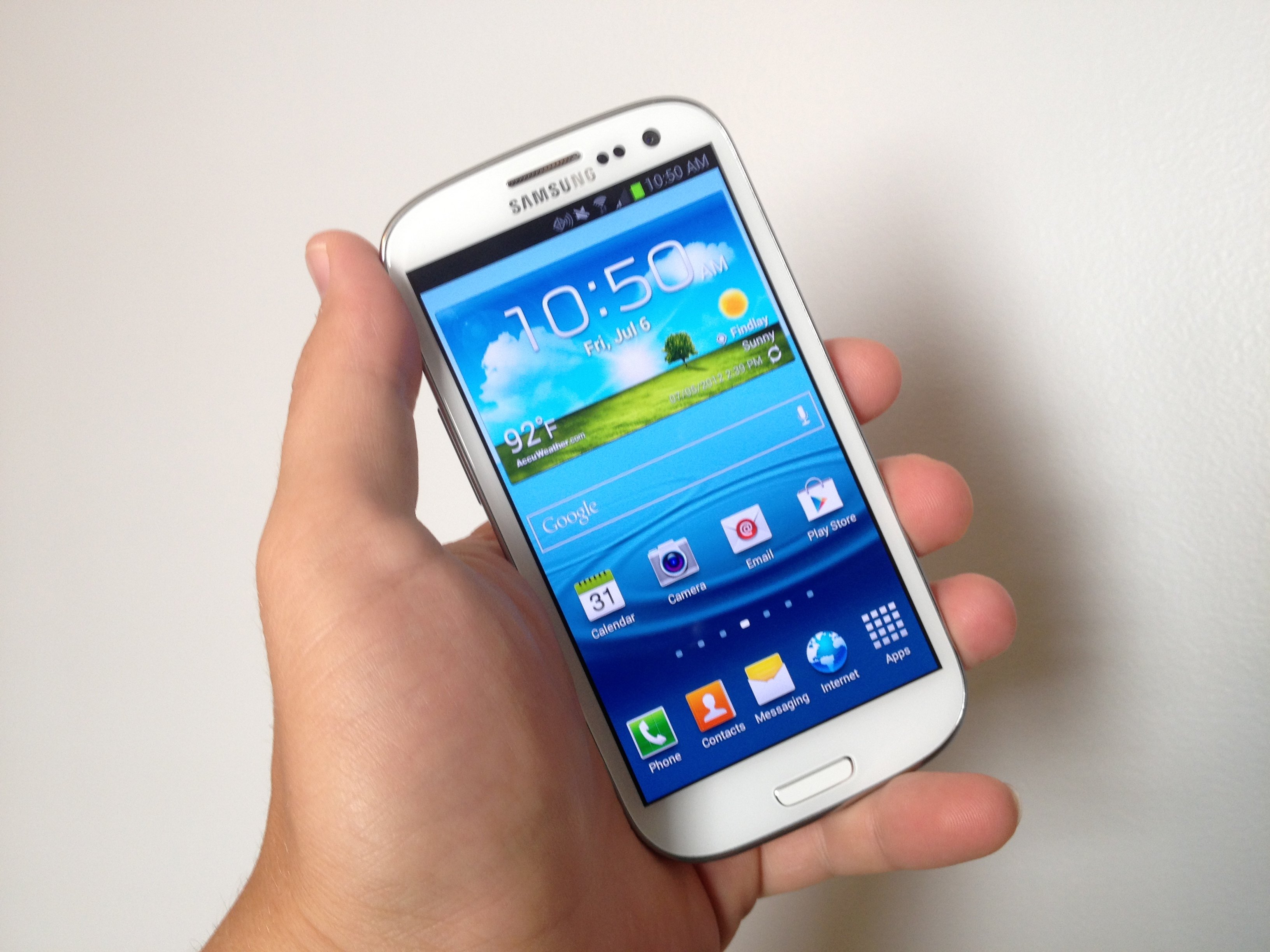
Many Galaxy S III users are reporting problems with WiFi connectivity on the new phone, and it looks like my AT&T Galaxy S III suffers from this WiFi bug as well.
I just got the phone yesterday and already saw inconsistency using Wi-Fi with my Netgear router. There are a number of different Galaxy S III WiFi issues that hamper the Galaxy S III experience.
There are a number of WiFi issues, as documented in a forum post at the XDA Developers Forum.
While the post is quite long, the Galaxy S III WiFi problems boil down to 4 main complaints.
- Frequent drops followed by a reconnect – this is my issue
- Inability to connect
- Slow speeds while connected
- Can’t connect to either 5GHz or 2.4GHz
For users experiencing any of these problems, here are the solutions to try. Like many users fixes, these solutions will not work for every Galaxy S III.
For my issue – frequent drops and reconnects – I just connected to a different frequency. My router offers both a 5GHz and 2.4GHz connection. I was using the 5GHz 802.11a/n connection on my router. Switching over to the 2.4GHz 802.11b/g/n connection fixed the problem for me, so far.

A second solution some users tried involves opening the Phone app and dialing *#0011#. This opens a special “ServiceMode”. From here, tap the menu button and go into WiFi and then hit the ON button to switch it to OFF. Hit the back button twice to exit the screen.

A third solution that might help in addition to doing the above includes turning off a couple of Wi-Fi settings. Go into the Advanced menu from the Wi-Fi settings on the S III and uncheck Network notification and Auto connect.

So one, two or all three of these fixes may work for users experiencing any of the Samsung Galaxy S III Wi-Fi connections issues. If not, then contact the tech support people for the phone’s wireless carrier and demand a solution. Many users reported at XDA that a replacement handset fixed the problem.



I have 2 questions.
My wifi works fine at home but once I go to say a Dr’s office or any place of business, I get no connection at all even phone service. Dead! What setting should be used?
Is it better to use “auto” instead of 5ghz or 2.4ghz?
Switch on” mobile data “
What is the “mobile Data” on/off switch for?
It allows data to be pulled from mobile network. Off = no data connection over cell network. On = data over cell network.
Just a couple more items:
1. Update your router firmware. While I use DD-WRT, I updated to the March 2012 EKO version of Mega for my 610nv2, and the connection is more steady but the phone doesn’t always like to connect.
2. While the phone doesn’t like dual encryption, it does like Mixed protocols, so G+N on the 2.4 bands, A+N on the 5Ghz will keep you connected more often.
3. ATT modem update that came with the OTA earlier this week appears to make networks look less powerful than they are, and has increased the power output of the wifi 10% (IMHO/examination of my router’s reported signal strength. As a result, I don’t have to turn off the service menu powersavings or hotspot/open notification. The phone’s regular powersave being off is sufficient (YMMV).
When you say router firmware your talking about the router at home correct? How does this solve the issue where certain locations signal strength is so weak you can’t connect to wifi?
Well, is your router in an optimal position? High rather than behind other items on your desk. Is it’s signal masked by metal ductwork or refrigerators and the like?
If it has antennae perhaps you can do the foil/tin cup fixes found on the web to redirect the signal.
There’s always a range extender if you have an old router laying about.
If none of those things work then the *#0011* as a last resort.
So I did the *#0011# to turn the wifi off. It still didn’t fix the problem. I went back in to turn it back on, and now my wifi isn’t turning on at all. Any suggestions??
Im from Poland so my english might not be so good, but i hope to help you.
I writed to samsung and ask about help but they said me to go shop/t-mobile and ask for warranty. I was sure that its a software problem, so i decided for reinstal softrare
I solve the problem !!
I bought SGS 3 in T-Mobile but my solution works for everyone !
1. Hard reset for device
2. Download ODIN and download this link (its a software)
https://hotfile.com/dl/164641212/ab9b296/GT-I9300_BTU_I9300XXBLG8_I9300OXABLG8_I9300XXLG8.zip.html
3. Unzip downloaded software.
3. Run ODIN and go into Download Mode on SGS3
4. Plug in device
5. In PDA browse this *.tar or *.MD5
6. Click Start and wait for program.
7. Close ODIN.
8. Download a Modem for a new software
http://www.mediafire.com/?zyef8nbdnfnt126
9. Unzip this.
10. Run ODIN and go into Download Mode on SGS3
11. Plug in device
12. In Phone browse “modem.bin”
13. Click Start and wait for program.
14. Enjoy your new SGS3 Without brand, WiFi and Battery Drain Problems ;)
I tested it on my SGS3
Remember that you do this for your own risk.
Hej Kuba
Your fix worked for me. BIG thanks from Australia! Wielkie Dzieki! :)
Seriously guys this was the only fix that worked for me (Telstra branded phone in Australia – I think its the international version I9300-GT)…the *#0011# power save didn’t work, assigning a static IP didn’t work and adjusting the wi fi sleep settings didn’t work either.
Now running JellyBean 4.1.1 with working wi-fi (FINALLY)…although Skype seems to play silly buggers with the connection …hmmm
I have no probs with wifi on My s3 .. it’s set to auto, and despite a slightly longer than usual connect delay (5-8 secs) it connects to My dual band router on 5ghz at 150Mbps :)
What keyboard is that on the pic on the article?
How do you change your router frequency
you don’t change frequency.. you activate desired frequencies
if you have a dual band router, then you should see config settings for both 2.4 and 5 GHz
It has to do with Power Savings mode, when I took it off WiFi started to work.
this fixed my issue instantly :D thanks.
i have the same problem for my S3 Wifi, i tried *#0011# it still the same… can’t connect to wifi, it keep on connect and disconnected… any solution to solve this problem?
yeah, get Iphone! Seriuosly ! I got the S3 just recently and I’m utterly disapointed that the allowed a product with that poor quality. That wifi doesn’t work is totally unacceptable! I’m going to give another week then if it doesn’t work I’m changing to Iphone, not that I ant to but I would like a phone that works.
My mum has an iPhone 4S and she gets the exact same problems with wifi as I do on my SGS3.
Hey i had the same problem so i rang up samsung and they told me to turn off my wifi then press n hold the home button then clear everything n click on task manager then close all aplication then click on ram at the top and then clear memory then turn your wifi back on it worked for me although i have to keep doing it once a week
i did this along with turning off my power saving mode. fixed it instantly.
Worked perfectly – thank you!
JUST BUY A IPHONE 5 , SOLVES THE PROBLEM GUYS . SAMSUNG HAVENT A ANSWER . i sold my s3 as samsung wont acknowledge this issue with wifi drop out .i bet you that the 4.1 jelly bean update wont fix it
I had the same problem and fixed by goin into your router setup under WAN, change the defual user name the same as your internet login name, change the password also as your internet password, apply your new settings and save the config on the router. Restart your PC and modem and the problem should be fixed
I had the same problem and none of the above fixed it. I went to Samsung service centre and they checked my firmware. The version I had does indeed have a known wifi issue as above. Even though my phone said no updates were available there is a new version of firmware “LH1″ They updated my phone and all is good now. Go see Samsung service they will fix your problem without any of the above tricks. Just remember to backup first.
Hello,
I have a question. I am on a limited data plan. Does the S3 automatically switch to using the WiFi connection when connected to it or should I switch my data services off first?
Please reply ASAP,
Thanks
automatically as long as your wifi is turned on.
FYI – I experienced this, too.
I just updated to Jelly Bean and am seeing a stronger WiFi indicator in the notification bar.
This morning, in my bedroom, the other side of my house from the downstairs Virgin Media SuperHub router, I was seeing 0-1 bars and a 6Mbps WiFi connection.
After the update, I’m seeing 2 bars and 13-26Mbps.
Ironically, the Jelly Bean update took about 15 minutes. for only around 264Mb.
This is on a SIM-free unbranded S3, over-the-air update.
Now if only I could cure the terrible GSM signal the same way.
lol at the ppl saying to ditch the s3 and buy a rubbsih iphone, why would anyone want one if those things! oh and I’ve never had any issues with the wifi on my s3, connecting to my 5ghz network at a nice 150mbps.
Hey guys i have this problem with my s3, when i connect with wifi in a public place like the library. everyones device around shows on my phone. Like i can see other peoples pictures on my phone, and that makes my gallary slow and my music slow too. Now i cannot connect with wifi and listen to music because when i click on a song it takes forever to play unless i turn off wifi. plese reply if u got a solution for me. Thanks
I fixed my wife’s slow wifi problem on the Galaxy IIIS when I noticed it was trying to use the same ip address (192.168.1.11) as another wifi device on my router that was set as static on 192.168.1.11. I switched that other wifi device to another static ip address other than 192.168.1.11 and now the phone and device works. It looks like the phone tries to use ip addresses that sometimes are already used by other devices. Just a thought.
Maybe it’s a simple translation error.
After trying numerous suggestions and entering my network password many times, I tried entering my network encryption key in the phone’s network password field.
Shazam! Works great (at least for the moment).
where would I find that at?
WORKED! Thank you!
OFS! Worked instantly! Thanks. I had tried most of the other suggestions with no luck. Shazam indeed !
(Verizon Samsung S 3)
I’m also having problem with my WiFi to works everywhere else but not in my home its like that video up top just keeps scanning and never logs on. I went into At&t where I bought it and they said its your router or your cable company and I knew its not my cable company and it not At&t but its the phone with the problems.
Just got updated to 4.1.1 on Verizon and now I can’t even find the service mode (*#0101# doesn’t work…nor do any other code).
Does anyone else have this issue?
In last ice cream sandwich update, the option to choose between wifi frequencies has been de-activated. Anyone know how to solve it?
i did 2 of the peoples on heres ideas turning off the power saving and going in and clearing all the active running tasks and the ram. didnt even turn off wifi… running just like if i was on 4g :D…. Thanks
Same error still occurs on my Note II with 4.1.2 on it. …. Going with a static IP address helped and turning the power save mode OFF did it for me.
i have a problem because i try to slide the wifi on and it keeps going to the off button does anyone know what to do please help!. thank you
I LOVE YOU!!!!!!!!!!!!!!!!!!!! The Service mode thing has worked for me thank you sooo sooo much, I have been having this problem since i got the phone from about a month after it was released!!!! :D x
Kevin Purcell, u r ugly as a pig
April 2013. New S3 out of sealed box at Carphone. Warehouse
WiFi problems nothing suggested here worked (did not try software re-install). It tried and failed on many open networks and would not work on BT Router. also phone running slow and battery life bad.
Back to Carphone, new S3 out of sealed box. Worked perfectly out of the shop and has continued to work ever since. It is faster, much faster-at everything and battery life improved. Also connects easily to my router, I made no changes.
I conclude first phone had software fault that is reasonably common.
Carphone changed my phone without any questioning.
BT support operative tells me he personally has as many as five a day S3 Wifi faults on new phones. There plainly IS a problem on some phones.
Do not let that put you off. excellent once you get it working properly
Got mine working by setting a static ip on the phone and updating the router to reflect
Have not had any issues since. Seems when the s3 is asking for an ip it never fully syncs to the network kind of like the old issue with the droid bionics..
I am also facing a problem with my new S3 that it doesnot connect to any of a wifi network and the problem lies somewhere in the wifi.i am using WPA and it doesnot connect to any of the router Ive done a factory reset as well but the problem still persists. The main problem which it has is it connects to a network but suddenly stucks onto acquiring IP address and then it doesnot connect meanwhile if u turn off the wifi while it is trying to obtain the IP address the fone automatically restarts. i need some kind advice as to how it needs to be fixed.
hi, i have a poblem with my S3, i did a factory reset from that day cant connect to wifi, once you click on connect it request the password, once you enter the password it says password error, i tried in many places but same results, i made sure that the password enterd was correct , my i phone works…