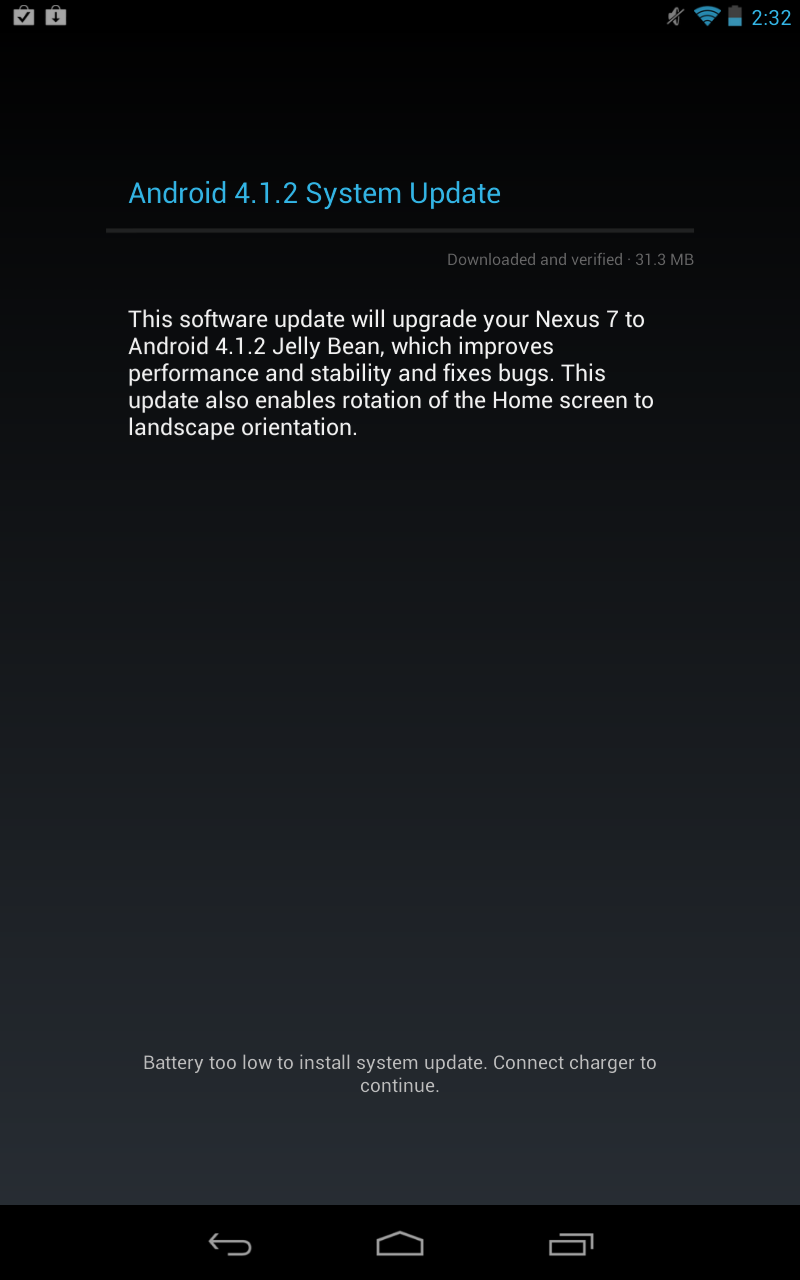
Nexus 7 owners who still haven’t received the update to Android 4.1.2 Jelly Bean and want to get the update right now will want to try a simple trick to get the update installed.
Two days ago, the Nexus 7 Android 4.1.2 Jelly Bean update starting rolling out for owners of Google’s 7-inch Nexus tablet. The update, while not extensive, brings a some bug fixes, enhancements and the ability to rotate the home screen into landscape mode. The bug fixes and stability enhancements are obviously the big things here but the ability to put the home screen into landscape mode is quite nice.
Two days into the roll out however, Nexus 7 owners who haven’t rooted their device are still complaining about the missing update. How do I know this? I am one of those owners. Up until about 20 minutes ago, I was unable to pull the update and remained on Android 4.1.1 Jelly Bean.
Read: Nexus 7 Flaws: Things to Consider Before Buying Google’s Tablet.
I am now the proud owner of a Nexus 7 running Android 4.1.2 Jelly Bean thanks to a quick little trick that should work for many Nexus 7 owners who still haven’t received the update and don’t want to root the device.
Here is the method I used to get the Android 4.1.2 update downloaded and installed on my Nexus 7 in no time.
1. Go to Settings -> Apps -> All
2. Find Google Services Framework.
3. Tap on Force Stop.
4. Select Clear Data.
5. Head back to the Nexus 7’s Settings, go to About, and check for a System Update.
When you head back there, the year should be in the 60′s. Check for an update and more than likely, you’ll receive a prompt to install Android 4.1.2 like I did. The installation process is quite quick as the update is only a shade over 30MB. And besides the new landscape orientation, the contents of the update aren’t very noticeable.
However, for those who have been experiencing bugs, this is likely the software that will wipe them out.
The Nexus 7 tablet, Google’s first Nexus tablet, was the first device to Android 4.1 Jelly Bean and now that it has Android 4.1.2 on board, we figure it will likely be one of the first to receive the new version of Android, rumored to be Android 4.2, that Google might show off on October 29th alongside the new Nexus smartphone made by LG. We’ll just have to wait and see.
Enjoy the bug fixes and new feature Nexus 7 owners.



didn’t work
Same. Didn’t work for me either.
Wroked 6th time around for me – cheers!
Second that… Didn’t work for me either..
Nope. Didn’t work for me either. Going back to 1969 was the thing I was really looking forward to.
Messed up my play store app. error after this when downloading. had to clear my google account and download and replace app to fix. What is the newest version of that app?
FAIL
Worked great. Thanks
it didnt work for me either.
Fail
Nope. Don’t waste your time. Hope I didn’t screw anything up.
Fail.
In the process of downloading now! Awesome
FAIL…
Didn’t work for me.
cool thanks. Works like charms
This trick always works to push ota updates. Guys, doing it once doesn’t always work. When I updated earlier today,I had to do it six times before the update worked this time.
But I don’t like force stopping any process/app running, it may corrupt files? Only force stop when it’s really necessary…
great suggestion, worked after trying it a fewtimes.
spencerwatson501856889 is correct…you have to do it a few times to get it to download…im downloading it now after about 4 tries
i did the force stop then clear data about 4 times (just back and forth between the two) and THEN went to system update, and it just finished downloading! if at first you don’t succeed…..
Worked great, but had to do it three times before it found the update. Much easier than some other methods for manual update!
it works
worked for me!
Try clearing data first then doing the force stop.
OK, it worked…hope it fixed the touch interface issue, and flickering when on low WiFi set to auto brightness
Holy crap it worked. Thanks ! East coast here. Guys before u complain legit clear the data and forse stop like 18 times. I almost gave up then a desperate attempt yeilded results.
Worked great! Thank you!
Big Fail !
Worked 1st try for me, thanks
it worked! had to try twice, but it definitely worked. thank you!
This did work. I tried downloading earlier, but it didnt work. I tried “download again” but it wouldnt…stoppign the framework solved the trick. Altho it said the last check for an update was back in July of 1969..ha. Thanks E
Worked perfectly for me. Thanks for the tip!
Yep it took me 6 or 7 tries and then it worked.
works awesome a bit quicker so far….
Did this 15 times and then worked, even in Puerto Rico, where there is no play store for movies/books or music yet…. So happy the updates are not by region. :)
Worked the second time, thanks!
Worked after 3 tries. Thanks.
Worked perfectly the second time (not sure what I did wrong the first time). Thanks, I know it isn’t a huge update but I wanted to try it and was getting frustrated I wasn’t getting it automatically. Not sure why the push has to be this staggered.
worked for me first time
Thank you!! Worked like a dream
Worked for me on the 4th try!!! Thanks for the tip!
Worked great although it went at the 70′s :-P Thank you!
holy heaven!! it worked great on my 4th try! :)
a lot of thanks!!! works great after 2 tries!
para los que tenemos el menu en español buscar el “Marco de Servicios de Google”
Worked first time….thanks a lot!!
thanks! work at 4th try! with my 1970′s :)
It works, but u have to try it few times, mine workd 3rd time…
Took a few times but works…
yep. I had to do it a few times, but it finally took.
Worked first time! Many Thanks…
Thank you so much worked straight away :)
In UK and this worked great…had to force close twice but then on second attempt picked it up..cheers
Worked first time. Downloaded, rebooted and updated. Everything seems to be in order. Brilliant!!
worked on 3rd try. Much better than the VZW GNex update experience
Worked on 2nd try here!
Tried it 4 times, it works! Thank you!
Worked on my first try. Thanks!
it workd for me
worked perfectly fine for me :)
It really works! Thanks!
Worked first try. I first cleared data then stopped the service. Thank you!
Worked great! Thanks!
Thanks for the tip! Worked on my second attempt, because you have to click “Clear data” first. Might want to change the order of the instructions.
Worked the 1st time, rebooting now :) Cheers from the Czech Republic
It worked for me in the first time! Thanks you very much for posting this!!!
Worked the second time for me.
Worked great on the first try! Great tip!
It worked after 4th try. Thanks.
Worked thanks!
It Work, I had to do it two times
Worked first time, Sweeeettttt!!!! Thank You ……
Beautiful! Worked for me! Thanks so much!
i had my n7 rooted with custom recovery, it notified me about the update but it failed because cwm, went back to stock recovery aand the ota was gone so i had to do your solution 3 times before it worked!
cool! it also worked for me :-)
Great trick! Worked for me @ the third time.
Worked for me first time. No issues. Great tip. Thanks.
Worked for me on about the 4th try! Thanks!
Force stopped, cleared data and rebooted. Update was there ready for install. Great stuff.
worked first try, thanks from 1969!
Scratch that. Downloaded the update but the install failed. :/
Im in the Phils. And this worked.
I tried this once, it failed. Restarted the tablet, did it again, and now I was prompted for 4.1.2.
Thanks.
Totally right. Juste redo the whole process and it will work. It did for me the second time.
Worked after the second time – thanks!
Worked first try!
Worked first time for me, installing on my nexus atm.
thanks it worked perfectly !
worked 2nd time round for nexus 7 in Australia. cheers
worked like a charm, thanks a lot
worked on the 2nd try
Thanks a lot, now my nexus 7 is upgraded to 4.1.2 jelly bean.
Worked on the second time here.
Worked 1. time ! thx
Tried it on my samsung galaxy nexus and worked great. You have to do it a couple of times.
This worked for me, first try. THANK YOU
worked fine for me! thank you.
Goes through the motions … reboots and come back to 4.1.1? Maybe on the first attempt I should have agreed with the location services?
Installed Clock Work Recovery. Now I can see the err message “Installation Aborted” with Error (status 7)?
Nexus 7
Works for 4.2 update too!
Worked perfectly on my first attempt, I’ve been looking all over the internet for how to update my Nexus 7, THANK YOU!!!!
AWSOME THANK YOU SOOOO MUCH!!! I was about to download all these bootloaders and toolkits to do it and read your post. Thank you.
Cool thanks a lot man, have you got any leaked update versions for the new galaxy s4 you could help me by any chance ? lol
Thank you once more and i LOVE your page thanks for sharing that’s awesome !