
Reviews
Pogoplug Family Review: Awesome Online Backup and Storage Deal
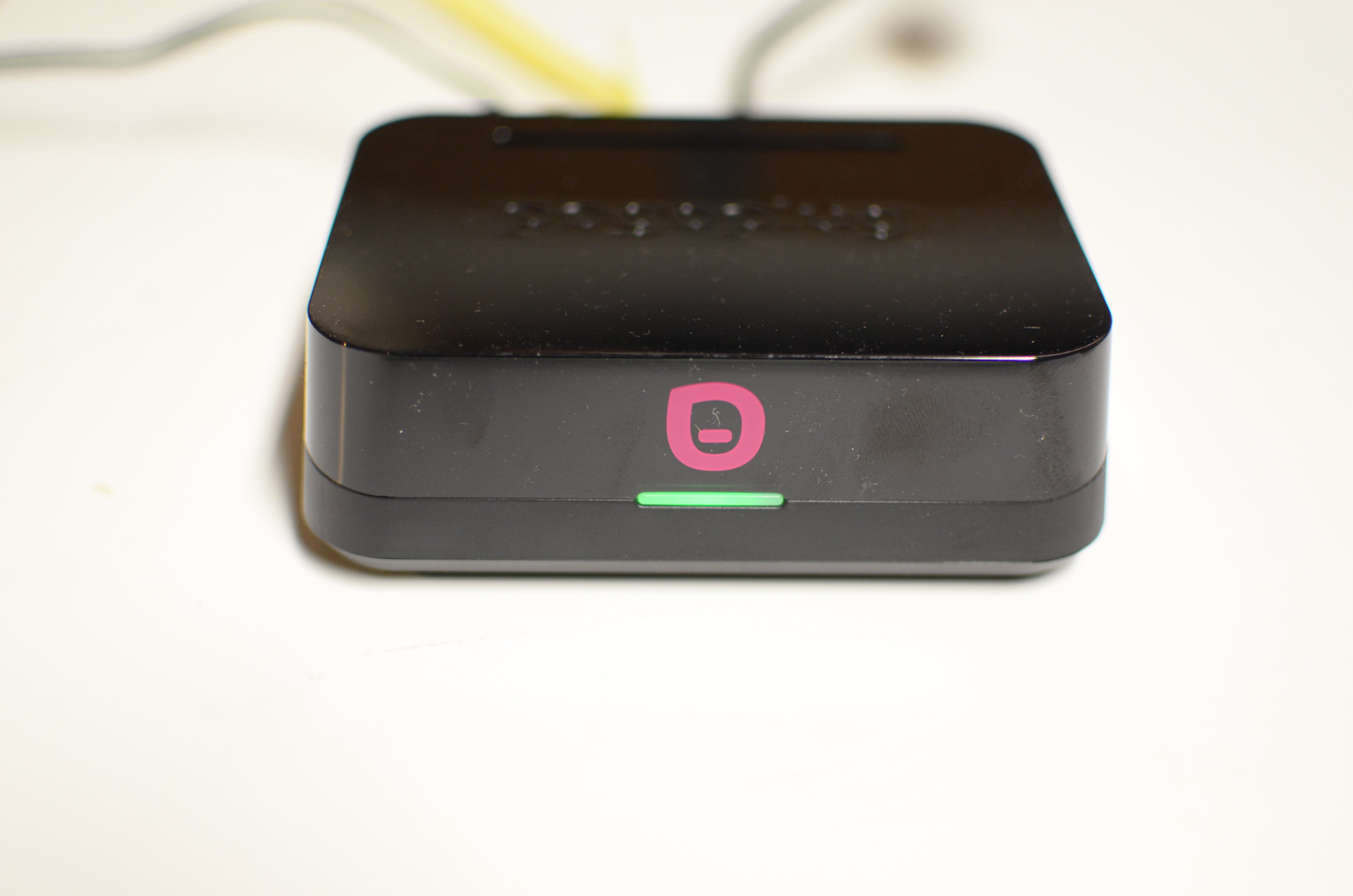
The new Pogoplug Family is a new service that backs up more data for a lower price and adds faster local backup to Pogoplug devices.
The Pogoplug Family plan offers 1 TB of storage via Amazon Glacier for $99 a year, cheaper than cloud storage services like DropBox or SugarSync.
The Pogoplug Series 4 and Classic devices connect to a user’s network giving users local and online backup and storage. With this plan, users get the convenience of a fast local hard drive backup and the benefits of online storage.
All the data is available on Mac or PC with apps for the computer or on Pogoplug mobile apps
Pros
|
Cons
|
Pogoplug Series 4 Device
I tested the new Pogoplug Family service along with their Pogoplug Series 4 device, which sells over at Amazon for $65. A subscription to Pogoplug Family includes a Pogoplug device free as part of the annual subscription. Subscriptions range from $29 to $99 per year. The device includes the following features:
- USB 2.0 and USB 3.0 connections
- Gigabit Ethernet interface
- SD card slot
- External SATA drive connection

Pogoplug also offers the Pogoplug Classic device, which comes with four USB 2.0 connections, a Gigabit connection but no SATA or SD card slot. The Series 4 device doesn’t take up much space and offers a simple setup that just works and works fast.
For people who own a network router with a USB port, the Pogoplug seems unnecessary, but this solution doesn’t offer the included online backup service, remote access and easy setup.
Easy Setup

Pogoplug sets up in just a few minutes. The green light on the front informs the user that the device connected to the network properly. After installing the included software, the user can begin backing up their files, pictures, videos and music.
For the Pogoplug Series 4 device, plug-in a USB hard drive, an SD card and/or a SATA drive (on the top under the cover). Connect to a router using the included Ethernet port and to a power outlet. The Pogoplug is accessible automatically as long as the user managers the router using DHCP, which describes the majority of home routers.

Go to Pogoplug.com and sign up for an account. Download and install the software and log in using the user name and password from the sign up procedure. Follow the wizard to set up the software.
Pogoplug Companion Software
The Pogoplug Companion software works on Mac and PC and sets automatic backups for files and documents on a computer. Don’t confuse this with the Pogoplug PC software which turns a computer into a Pogoplug device that a user can get access to from mobile device.
By default the Pogoplug Companion software automatically backs up the user’s Documents, Movies, Music and Pictures folders to a hard drive attached to the Pogoplug device.

Users can add more folders using the link at the bottom of the window. Also a button in the upper right opens the user’s default web browser and shows the Website for the user’s account on PogoPlug.com.

Users can switch between cloud storage and a local hard drive connected to the Pogoplug, with options to choose a specific folder for backup.
Software setup is simple, but backing up large folders clogged my network making it difficult to do other things while the first backup started. Pogoplug should include an option to delay the backup until a later time.

I can drag files onto the virtual versions of backed up folders
The app also makes the online folders and the hard drive connected to the Pogoplug device available in Windows Explorer or Mac Finder as virtual hard drives. It’s easy to backup folders by just dragging files to these virtual drives. This makes single file or folder back up simple.
Pogoplug PC Software and Mobile Apps
The Pogoplug PC software works differently than the Companion software. The Pogoplug Companion backs up files to the Pogoplug device hard drives or the cloud storage. The Pogoplug PC software provides access files on the computer’s hard drive via the Pogoplug mobile apps.
Like the rest of the Pogoplug software, setup is simple, thought the need for two pieces of software is annoying and potentially confusing.
Pogoplug offers free iPhone, iPad and Android apps that work with the Pogoplug PC software and the Pogoplug Companion software.

After logging in, the app offers to automatically upload pictures to the cloud storage. Tap the icon for one of the four file types. The app organizes files differently depending on the file type. Tap File to view files from either a computer running the Pogoplug PC software or a hard drive connected to a Pogoplug device. Tap music to view songs categorized by song title, artist, album or genre.

The software makes it easy to view files stored on a computer or Pogoplug backup, but suffers from annoying design flaws.
When viewing photos on the iPhone, there is no support for viewing images or video full screen in landscape mode. This is especially bothersome on the large screen of the Galaxy Note 2 and the iPhone 5’s larger display. Also, the app doesn’t yet make use of the full 4-inch iPhone 5 screen yet since its not iOS 6 optimized.

I can’t view pictures in landscape on Pogoplug mobile apps
By contrast, the iPad Pogoplug app is awesome. It uses landscape mode and works in portrait as well.

Pogoplug iPad app in landscape
It’s great to view documents from within the app and then export them to document viewing or editing apps installed on the iPad for further use.

Value and Recommendation
Pogoplug offers a great service but could improve in a few key areas.
The mobile apps need landscape mode on the iPhone and Android smartphone. Pogoplug also needs to combine the Pogoplug PC and the Pogoplug Companion apps into a single service to simplify setup and use. The software should also allow backup limits by time and bandwidth levels, especially for the first backup.
For users that need to back up more than 5GB of data, the Pogoplug Family offers the best value for simple backup. The service is easy to use, affordable and delivers mobile access, adding up to a great value.
It’s smart to keep three copies of important files in at least two places. With Pogoplug, users keep a copy on their computer, a copy on a local hard drive and a copy in the cloud that acts as a backup in case of damage to the home.

Paying only $29 for 100GB of online backup easily beats the other cloud storage services. The 1TB option for $99 beats offers by competing online storage services. Check out the various Pogoplug Family plans.
After reviewing the service, I plan to upgrade to the Family Pro plan to back up my huge collection of pictures and videos.
