
Apps
Face Swap Live: 5 Things to Know
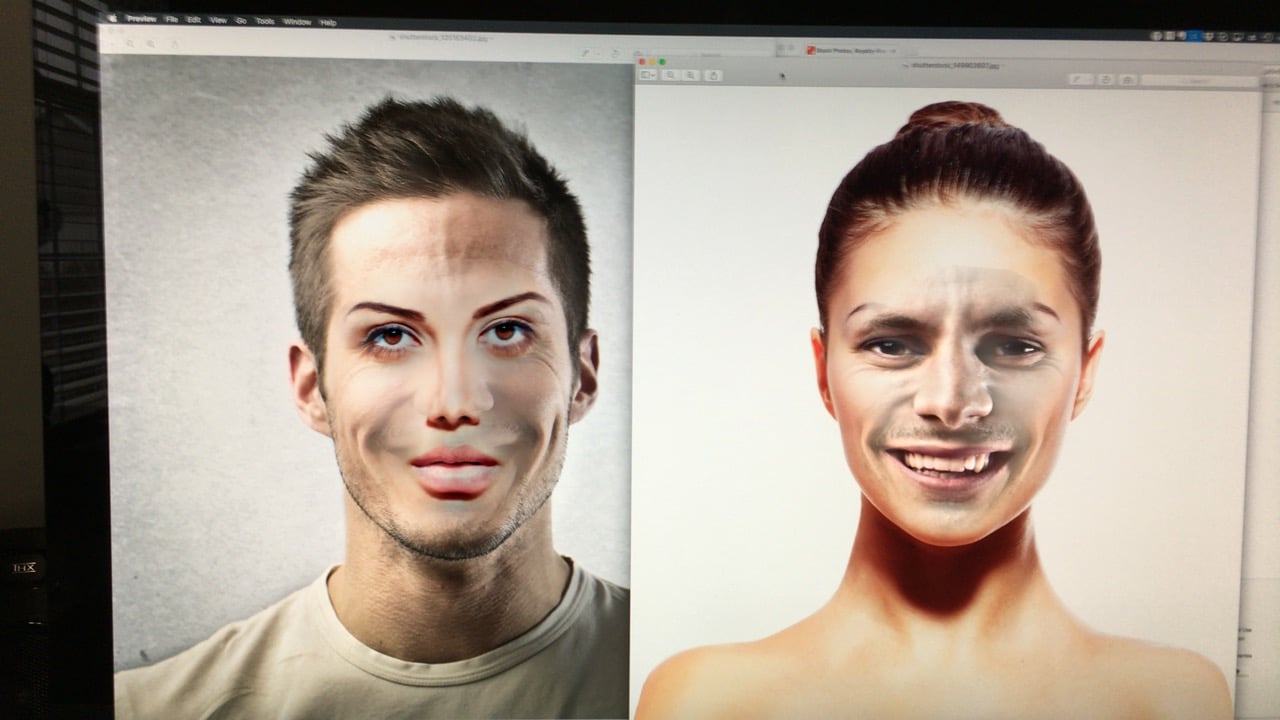
Face Swap Live is an incredibly fun app that helps you swap faces with a friend or a photo on the Internet.
Unlike the MSQRD app, which mainly offers live video filters and selfie filters that change the look of your face, the Face Swap Live app lets you completely swap the faces of two people in front of you for hilarious results.
You can use the Face Swap Live app to take photos or videos of your family and friends with swapped faces and you can also import a photo to use or choose to use a photo from the Internet.
This is a paid app, but 99 cents is a small price to pay for all the fun that you get from Face Swap Live for iPhone.
Here’s what you need to know about Face Swap Live for iPhone and what you need to know about the Face Swap Live Android release.
What is Face Swap Live?
Face Swap Live is an app that identifies your face and another face and swaps the main part of your face to the other person. You can record this on video or take a photo.
With this app you can talk to make it look like the other person is talking for hilarious results.
The result of the face swap is live and you can use the front or rear facing camera to take the photo.
You can download Face Swap Live for iPhone and iPad for 99 cents.
How to Use Face Swap Live
After you download Face Swap Live, the only thing you really need to do is choose what kind of swap you want to do. The funniest is a live face swap of two people who are in front of you.

When the app opens, choose Swap Faces. Now you just need to put two people in front of the camera. You can switch from the front to rear camera and then choose to record a video or take a photo. It is possible to use this with a photo on a billboard or computer screen or with a pet.
The other option is to Use a Photo. With this you can use your own photos, search the internet and use some built-in ones.
Face Swap Live Tips
One thing you will notice as you use the Face Swap Live app is that some subjects are harder to capture. This is especially true with little kids or pets who move and don’t look right at the camera.
If you try to use this on a kid or a pet, record a video and then take a screenshot of that. This will help you get a better photo to share.

Here are four Face Swap Live tips from the developer to help you take a better looking video or photo.
- Position: Don’t tilt or rotate your head, or move around too quickly.
- Good lighting: Make sure your faces are not too dark, also avoid very bright lights coming from behind.
- Brush back any hair that might be around your eyes.
- Remove glasses if possible; large beards can also cause some shaking.
The biggest issue most people have when starting out is that they tilt their heads or don’t look right at the camera.
Face Swap In App Purchases
There are no Face Swap Live in app purchases to worry about. Once you buy this app for 99 cents you have access to all the filters and tools. You can use your own photos, the swap and celebrity photos without spending any more money.
Face Swap Android Release
 There is no Face Swap Live Android app yet, so don’t bother searching for the Face Swap Live apk to install it on your Android phone yet.
However the company is working on a Face Swap Live Android release. You can sign up on the company website to get an email when they offer a Face Swap Live Android download on Google Play.
Do not bother with the fake Face Swap Live app that is on Google Play currently.
[slides postid=314615]
