
Android
Android 5.1 vs Android 5.0 Lollipop Walkthrough: What’s New
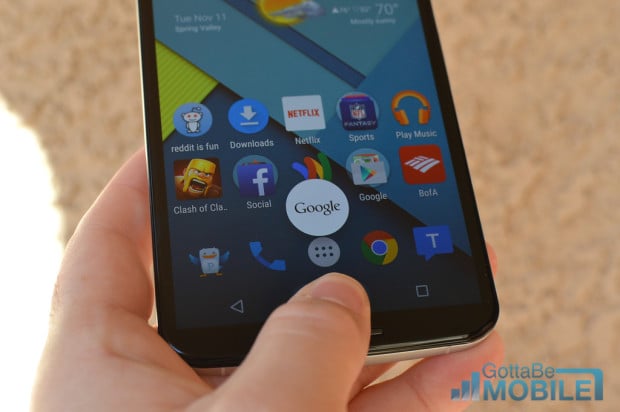
For those that want to see what’s new in Android 5.1 Lollipop you can see the changes in our 5.1 vs Android 5.0 Lollipop walkthrough below. While most changes are small and under the hood, non-visible to users, there are still many nice additions in Android 5.1 Lollipop worth knowing about that we’ll detail for those interested.
This Android 5.1 walkthrough shows off some of the new features and animations integrated into Android 5.1, although most are on stock Android, but you’ll want to check out the Nexus 6 review below to learn more about Android Lollipop as a whole, as it goes over a lot more than just the new changes in 5.1 Lollipop.
Read: Nexus 6 Review
The Android 5.0 Lollipop release date arrived on November 3rd with the Nexus 9 launch, and roughly a month later Google finally started pushing out updates to Nexus owners a few weeks later. Since then they delivered 5.0.1 and 5.0.2 to fix bugs, then a bigger Android 5.1 Lollipop update started rolling out earlier this month with lots of changes you should be aware of.

Now that Android 5.1 Lollipop is out and in the wild, rolling out to owners of the Nexus 5, Nexus 6, Nexus 7, 9, and Nexus 10, users will want to know about all the big (and little) changes Google has made to its latest OS update.
Android 5.1 is the first main maintenance update for Lollipop, fixing multiple bugs and improving stability, performance, and battery life over the original 5.0 release that debuted in November. And as we said above, most of the changes are behind the scenes, but in the slideshow below we’ll go over some of the more noticeable changes users should know about.
Read: Android 5.0 vs Android 4.4 KitKat: What’s New in Lollipop
At first glance Android 5.1 looks nearly identical to Android 5.0 Lollipop, but Google has fixed tons of little problems, improved key aspects of the entire operating system, and added some neat little tricks and fancy animations to make Android 5.1 Lollipop even more lively. Lets get started.
All images in the slideshow below show Android 5.1 Lollipop on the left, and the older Android 5.0 release on the right.
[slides]
