
Apple
iPhone 6s vs iPhone 6: What’s New
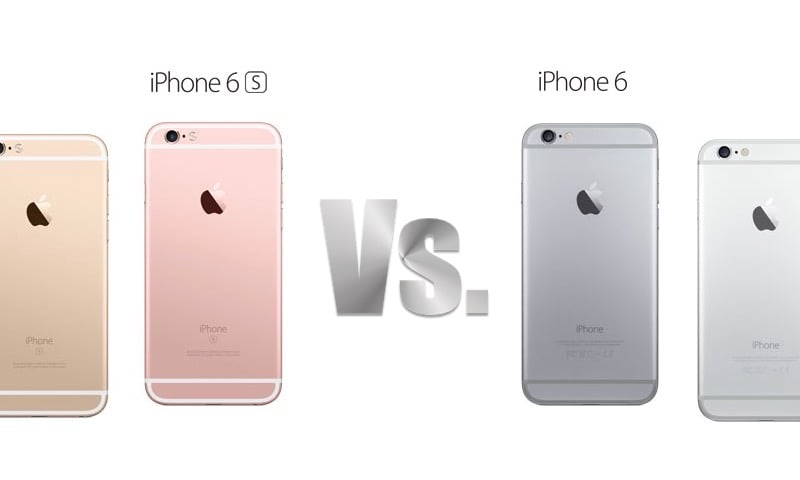
We’ll show you what’s new on the iPhone 6s and how the iPhone 6s vs iPhone 6 comparison stacks up and look at the new iPhone 6s features that may help you decide which iPhone to buy or if it is worth upgrading from the iPhone 6 to the iPhone 6s.
On the outside there aren’t many changes that make the iPhone 6s look much different from the iPhone 6 — but there is a new Rose Gold option that stands out as a new iPhone.
From upgraded iPhone 6s specs and how they compare to the iPhone 6 to the exclusive new iPhone 6s features that Apple includes, here is the iPhone 6s vs iPhone 6 comparison you need to read before you buy.

iPhone 6s vs iPhone 6: What’s new with the iPhone 6s.
The iPhone 6s starts at $199 and the iPhone 6 at $99 on contract. While the two iPhones look very similar there are important changes under the hood that will influence the overall performance and use of the new device.
There is often a feeling that the iPhone “s” upgrades are not as big as a brand new iPhone 6 or iPhone 7, but looks are deceiving. Underneath a similar design is a new iPhone packed with upgrades we think users should be excited about and that we think users will use regularly.
Compare the iPhone 6 vs iPhone 6s specs in the table below and then dive into the new iPhone 6s features to see what’s new. Apple no longer sells the 128GB iPhone 6 and is phasing out the gold iPhone 6 color option.
| iPhone 6s | iPhone 6 | |
|---|---|---|
| Price | $199, $299, $399 | $199, $299 |
| Storage | 16GB, 64GB, 128GB | 16GB, 64GB |
| Colors | Gold, Rose Gold, Silver, Space Gray | Silver, Space Gray |
| Display | 4.7-inch Retina HD with 3D Touch | 4.7-inch Retina HD |
| Resolution | 1,334 x 750 with 326 ppi | 1,334 x 750 with 326 ppi |
| Battery | 1,715mAh | 1,810mAg |
| Dimensions | 138.3 x 67.1 x 7.1mm | 138.1 x 67.0 x 6.9mm |
| Weight | 143 grams | 129 grams |
| Rear Camera | 12MP iSight with1.22µ pixels | 8-megapixel iSight camera with 1.5µ pixels |
| Front Camera | 5MP Photos with Retina flash on front, 720P Video | 1.2MP Photos, 720P Video |
| Video Recording | 4K | 1080P |
| NFC | Yes, Apple Pay | Yes, Apple Pay |
| Bluetooth | Bluetooth 4.2 | Bluetooth 4.0 |
| Processor | Apple A9 with M9 Co-Processor built-in | Apple A8 with M8 Co-Processor |
| WiFi | Dual-band 802.11a/b/g/n/ac | Dual-band 802.11a/b/g/n/ac |
| OS | iOS 9 | iOS 9 Upgrade Available |
| Security | Faster Touch ID gen 2 | Touch ID |
In the slides below we combine photos, videos and descriptions of what’s new on the iPhone 6s compared to the iPhone 6. Many of these features work the same way for the iPhone 6s Plus vs iPhone 6 Plus as well.
[slides]
