
How to
How To Fix ASUS Eee Pad Transformer Keyboard Dock Battery Drain
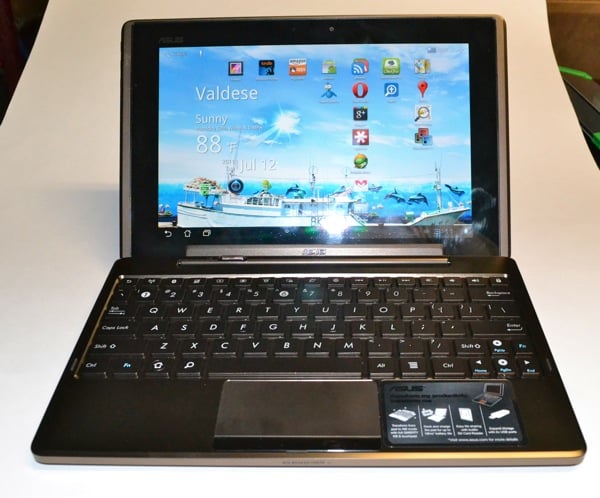
The ASUS Eee Pad Transformer with the optional MobileDock Keyboard provides amazing battery life: up to 16 hours on a single charge with the two connected. Unfortunately, while docked, the battery on the tablet drains as much as two percent an hour when the tablet is in standby mode. ASUS responded to requests for a solution saying they already fixed it, but users were unaware.
Here is how to fix the issue with your fully up to date Transformer, according to the company spokesperson’s post over at XDA.

First, ensure that the latest versions of the tablet and keyboard firmware are installed. You can check by doing the following:
- Go to Settings and then About Tablet.
- Look under Build Number where you should see a series of numbers and letters.
- Look for the number 8.2.3.13 or later – the latest build is 8.4.4.11, but this option was added in 8.2.3.13.
- Look under MobileDock Version where you should see a number ending with 0209, which is the latest version of the keyboard firmware.
- If neither of the previous two build numbers are correct, then scroll to System Update at the top of the page and check for updates to the software.
- If Software Update doesn’t find the new versions, go to the download page for the Transformer at ASUS and look under Firmware from the Other OS page and install that using the provided instructions.

Check the box next to MobileDock Battery saving mode
Now you are ready to turn on the battery saving feature. Go to Settings and Screen. Look for the item MobileDock Battery Saving Mode and place a check mark in the box. That’s it!
ASUS claims that this option turns off a potentially useful feature on some systems, so be aware. The dock should wake the Transformer from sleep mode with the press of any key. With option checked, the keyboard wake feature will no longer work on some older MobileDocks. I tested it with mine and fortunately even with the feature checked, mine still wakes the tablet with the press of a key. If yours does not, you may be able to get it replaced by ASUS according to their note in the XDA Developer’s Forum where we found this helpful tip. This involves sending the keyboard to ASUS under an RMA (Return Manufacturer Authorization).
If the battery saving feature breaks the wake on keyboard press feature for you, you can still wake the device with the power button. It may not be as convenient, but might be more convenient than returning your MobileDock to ASUS.
