
Apps
How To Sideload (Almost) Any Android App On The Nook Tablet
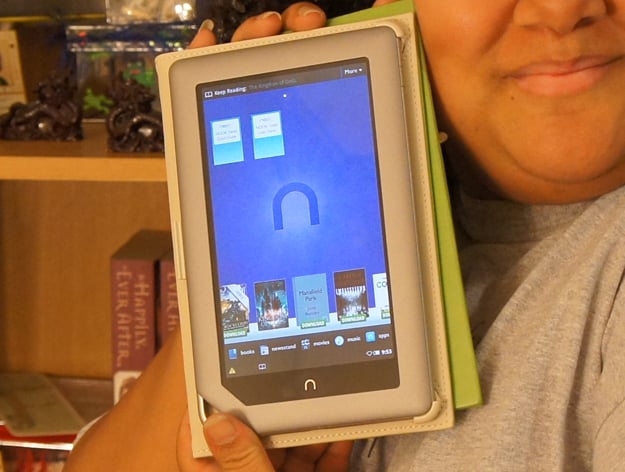
So remember how just yesterday someone figured out how to install non-Amazon Store apps on the Kindle Fire by just checking the “Allow Installation of Applications From Unknown Sources” checkbox in the settings? I figured that wouldn’t be possible on the Nook Tablet since that particular setting is hidden.
Welp, turns out it’s not as inaccessible as Barnes & Noble thought.
Some wonderful genius on the xda developers forum (yeah, where else, right?) figured out how to get to this settings screen. You basically trick the Nook Tablet into showing it, then click the checkbox next to Unknown Sources, then you’re in business.

Brad Linder at Liliputing has the whole instruction set on his blog. Following the directions I was also able to install Android apps such as NewsRob (the only app I really, really wanted on the Nook) and the Amazon App Store. Once you install that, a larger world of apps opens up for you.
There’s one drawback – apps installed this way won’t show up in any of the Nook Tablet’s normal screens. You can find them by doing a Search, but that can get tired. Brad suggests installing a third-party launcher. Click over to see how the one he likes looks.
I’m fond of my Nook Home screens so I’ll probably just stick with the search method for now. There are really only two apps I care about: Kindle and NewsRob. Searching for them each time might not be such a pain… but we’ll see.
This is really good news for Nook Tablet owners who wish they could install a favorite app that isn’t available in Barnes & Noble’s store. If the app you want isn’t in Amazon’s store, either, here’s how you can obtain the APK (install file) of almost any app you want. The 5th option is probably easiest.
Just as with the Kindle Fire thing, this is something normal folks can do that doesn’t require rooting or voiding warranties. You won’t get any help from the friendly Nook specialists in the store when an app misbehaves, and you’ll have to update them yourself. But such is the way of things when you’re hacking… sort of.
