Featured
Lenovo ThinkPad Tablet Unboxing and First Impressions
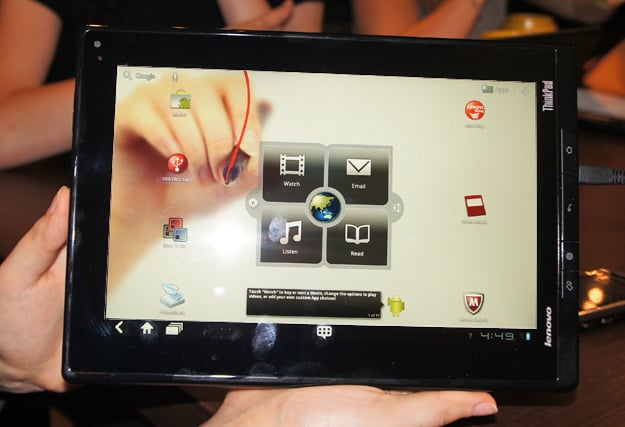
The Lenovo ThinkPad Tablet has finally landed. After many weeks of merely consoling myself with hands-on videos and product shots, I finally have the tablet in my hands. I’ll be putting the ThinkPad through its paces this weekend and have a review for you all as soon as possible. In the meantime, here are some unboxing shots for you.
I’ve been trying it out for a few hours and so far it’s just like the demo units I’ve seen in the past — speedy, beautiful and responsive screen, and lighter than it would seem from the thickness. And, honestly, it’s not that thick. Yes, the iPad is thicker, but the iPad is also a toy compared to this.

I’m very much a fan of the physical buttons along the side. Though Google thinks that buttons are necessary, I heartily disagree. Plus, I was a fan of the button on Lenovo’s consumer tablet, the IdeaPad K1. These buttons aren’t quite as minimal and elegant as the K1’s. That’s to be expected from a ThinkPad — utility before beauty.
I haven’t received the folio keyboard yet, but the stylus did come with the review unit. So I fired up the notes application and wrote “Hello tablet, how are you today?” The result was, well…

Obviously the tablet decided it needed a name. From now on, I will refer to it as L-dog.
Just like the IdeaPad, the ThinkPad comes with a long list of pre-installed apps. This is not a bad thing, as many of them are extremely useful, including the Notes app pictured above.
As I test the ThinkPad Tablet, what tasks and apps should I use to test it? Anything you want to know about its features?