
Android
Android 6.0 vs Android 5.1 Lollipop: What’s New in Marshmallow
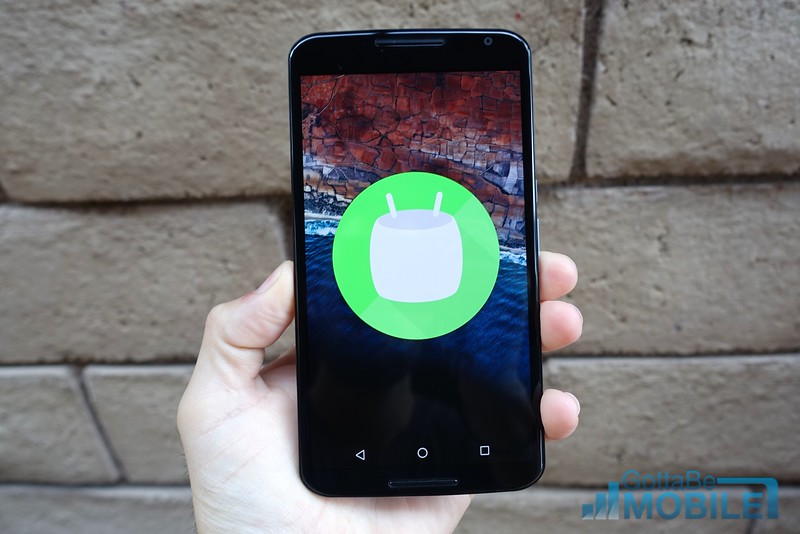
In October of 2015 Google officially released Android 6.0 Marshmallow. And while most users are now waiting for Android 7.0 Nougat updates, some will never get the latest version of Android. As a result, many will want to know everything Marshmallow has to offer. This is a comparison of Android 5.1 Lollipop vs Android 6.0 Marshmallow on the Nexus 5 and Nexus 6.
With Android 6.0 the focus was on polishing the experience and improving battery life, not changing the entire look and feel of our devices. As a, result it looks the same as earlier versions while having a slew of new features.
Read: Nexus 6P Review: Google’s Finest Yet
Some of those new features are fingerprint support, improved permission controls, Google Now, and multiple battery saving measures. There are lots of new features in Android Nougat, but Marshmallow still has plenty to offer.
 Whether you just bought a phone that runs Android 6.0 Marshmallow or realized you’ll never get an update to Nougat or Android O, this is a good place to start.
Android 6.0 Marshmallow is a free software update for all eligible Android smartphones and tablets, starting with Google’s own Nexus lineup. Most brands cover stock Android with their own interface, like Samsung, although many of the changes mentioned below are still included.
Just like with Android L in 2014, Google unveiled Android M in May of 2015 and released a developer preview for users to try on select Nexus devices. This allowed for months of testing before the October release date. And now, most Android devices have received the update.
Users will notice some visual changes to animations and effects, the lockscreen, homescreen, and the notification pulldown bar. Not to mention new volume and permission controls, a revamped application launcher and Google Now, which is now the Google Assistant. However, it’s behind the scenes where things really took off. Permission and security controls, fingerprint support, Doze battery improvements, automatic app and data backups, and so much more.
Read: Android 5.0 vs Android 4.4 KitKat: What’s New in Lollipop
With Android 5.0 Lollipop Google completely changed the look and feel of Android. Above is a quick comparison showing users what changed in 2014-15, and below is a big slideshow detailing exactly what to expect from Android 6.0 Marshmallow.
To begin Android 6.0 Marshmallow rolled out to the Nexus 5, Nexus 6, 2013 Nexus 7, Nexus 9 and the Nexus Player. Then eventually others like Samsung, Motorola, LG, HTC, Huawei and more. The video below is a quick look at some of the many features in Marshmallow.
Some of the features, like the dark theme, were removed by Google before releasing the software to the public. That said, everything else is available on our phones or tablets. Below is an extensive slideshow comparing Android 6.0 Marshmallow to Android 5.1 Lollipop. This will show you what’s new, what to look for, and what to expect as you enjoy your device.
You can click on any of the images below to instantly jump to that part of the slideshow. The older Android 5.1 Lollipop is on the left (if applicable), while Android 6.0 Marshmallow is on the right. If you have a Nexus smartphone and tablet, you’re likely already running Android 7.0 Nougat. This shows Google’s slow and steady progression and improvements to its mobile operating system. While you’re here, take a look at what’s coming in 2017 with Android O.
[slides]
