Buying Advice
Don’t Buy a New Phone Right Now Without Checking These 7 Things
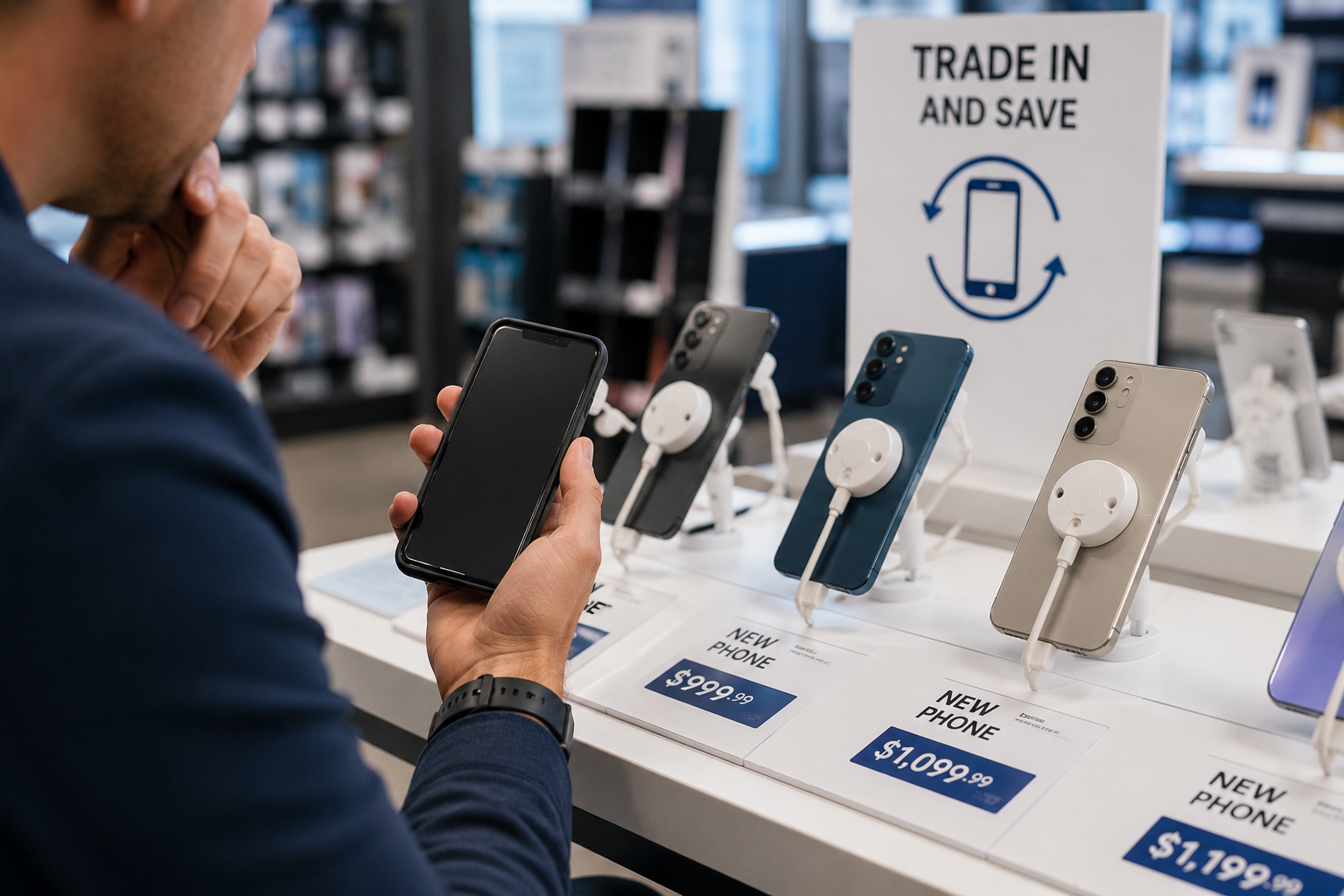
Thinking about buying a new phone? September can be a tempting time to upgrade, with new devices arriving, older models going on sale and carriers suddenly discovering an astonishing number of “limited-time” offers.
But before you spend $800, $1,000 or considerably more on a new smartphone, it’s worth figuring out whether you actually need one and whether now is the right time to buy.
If you’re wondering, should I buy a new phone now, check these seven things before placing an order.
1. Find Out When Your Current Phone Stops Getting Updates
An older phone isn’t automatically obsolete.
One of the biggest things to consider is how long your current device will continue receiving operating system and security updates.
Check your manufacturer’s support information for your particular model.
If your phone still receives security updates, performs well and does everything you need, there may be little reason to replace it simply because something newer exists.
On the other hand, a phone that no longer receives important security updates deserves a closer look.
2. Check Your Battery Health
A phone that once lasted all day but now desperately searches for a charger by lunchtime can feel ancient.
The rest of the device may be perfectly fine.
iPhone owners can check battery information under:
Settings > Battery > Battery Health
Battery information and diagnostics on Android vary by manufacturer.
If battery degradation is your biggest complaint, compare the cost of replacing the battery with the cost of replacing the entire phone.
A battery replacement could potentially give an otherwise capable phone considerably more life.
3. Look at Your Storage Before Blaming the Phone
Constantly running out of storage can make an older phone miserable to use.
Open your storage settings and see what’s actually consuming the space.
Photos and videos are obvious culprits, but downloaded movies, podcasts, messages and apps you haven’t opened since 2022 can consume surprising amounts of storage.
Clean things up before deciding you need a new device.
If you’re still constantly running out of space after that, buying a higher-capacity model with your next upgrade may be worthwhile.
4. Decide Which New Features You’d Actually Use
New phones arrive with increasingly impressive lists of features.
The question isn’t whether those features are cool.
It’s whether you’ll use them.
Consider what actually bothers you about your current phone:
- Is the camera not good enough?
- Is the battery failing?
- Do you need more storage?
- Is performance noticeably slow?
- Is the screen damaged?
- Are you missing a feature you’d use regularly?
- Has software support ended?
If you can’t identify what a new phone would meaningfully improve, that’s a pretty strong argument for keeping the one you have.
5. Check What’s About to Launch
Timing matters.
September is traditionally a busy period for smartphone announcements, and 2026 is no exception. A wave of new devices is expected throughout the month, which can change the buying equation even if you don’t want the newest model.
When a new generation arrives, previous-generation phones can become more attractive because of discounts, carrier promotions and refurbished inventory.
That means buying immediately before a major launch can sometimes leave you paying yesterday’s price for yesterday’s phone.
6. Don’t Judge a Trade-In Offer by the Big Number
Carrier and manufacturer advertisements can offer surprisingly large trade-in credits.
Read the conditions.
The maximum advertised value may require:
- A specific unlimited plan
- A qualifying trade-in
- A new line
- Monthly bill credits
- Staying with the carrier for several years
A “$1,000 trade-in” isn’t necessarily the same thing as someone handing you $1,000 for your old phone.
Compare the total cost of the service plan and device over the entire promotion period.
7. Consider Last Year’s Phone
You don’t necessarily need the newest phone to get a major upgrade.
Last year’s flagship can offer excellent cameras, fast processors, high-quality displays and years of remaining software support.
Once its successor arrives, it may also become substantially cheaper.
Compare the previous model with the new one feature by feature.
If the improvements don’t matter to you, take the discount.
Your phone will somehow continue functioning despite knowing it isn’t the newest one in the room.
So, Should You Buy a New Phone Now?
Upgrade if your current phone is genuinely interfering with how you use it.
A failing battery, broken hardware, inadequate storage, poor performance or the end of software support can all be legitimate reasons to replace a device.
But if your phone works well and continues receiving updates, waiting can be the smarter move.
New product launches don’t just create new phones. They can also create better deals on the phones that were considered cutting-edge a few weeks earlier.
Before You Upgrade, Check Your Settings
You may also be able to improve your current phone without replacing it.
iPhone owners should check our guide to 7 iPhone Settings You’ll Wish You Changed Sooner for privacy, security and usability settings worth reviewing.
If you use Android, 7 Android Settings You’ll Be Glad You Changed covers similar changes for Android devices.
FAQ
How Often Should You Replace Your Phone?
There isn’t a universal replacement schedule. If your phone remains secure, supported and capable of doing what you need, there’s no requirement to replace it after a certain number of years.
Is September a Good Time to Buy a Phone?
It can be, but timing matters. September is a major smartphone-launch period, so waiting for announcements can give you more options and potentially change pricing on existing models.
Is It Better to Replace a Battery or Buy a New Phone?
If the battery is the primary problem and the phone otherwise meets your needs, battery replacement may be considerably cheaper than buying a new device. Compare repair cost, remaining software support and the condition of the phone before deciding.
Should I Buy Last Year’s Phone?
Often, yes. A previous-generation flagship can be an excellent value if it still has years of software support and the newer model doesn’t offer features you need.
Should I Trade In My Old Phone?
Possibly, but compare the trade-in offer with other options. Pay attention to whether the advertised credit is delivered through monthly bill credits or requires a particular wireless plan.
This article may contain affiliate links. If you purchase through these links, we may earn a commission at no extra cost to you.
Helpful Products
- Check this out on Amazon: USB-C GaN Fast Charger
- Check this out on Amazon: Phone Backup Flash Drive
- Check this out on Amazon: Tempered Glass Screen Protector