
Android
10 Things the Galaxy Note 8 Can Do
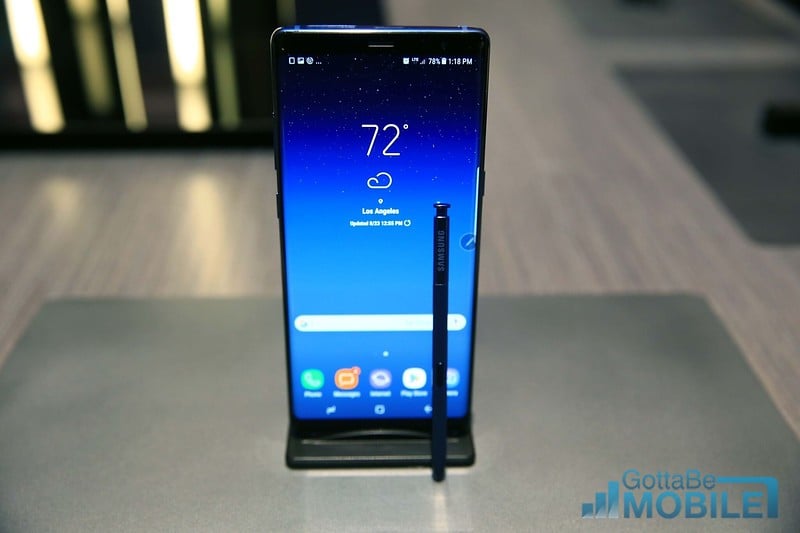
The Samsung Galaxy Note 8 is a big and fast smartphone with plenty of neat features. While most love the large Infinity display or dual cameras, that isn’t all this phone has to offer. Below we’ll share 10 cool things the Galaxy Note 8 can do in an effort to help owners enjoy their phone to the fullest.
At first glance, you might just think Samsung’s phone is a bigger Galaxy S8. Considering the Galaxy Note 8 shares the same design and has a slightly bigger screen. There’s more to the Note than meets the eye. Samsung’s managed to pack some noteworthy improvements and neat features into its latest phablet.
Read: 20 Best Galaxy Note 8 Cases
Now that the Galaxy Note 8 has been available for a while and deals are floating around, a lot of people bought one. If so, you’ll want to take advantage of every new feature. Some are easy to find and well-known to Samsung users. At the same time, there is a slew of new ones you probably don’t know about.
Recently, Samsung shared a few videos and explained some key upgrades to the Note. Including the powerful dual cameras on the back, Bixby virtual assistant, and the easier to use S-Pen. They shared a few up on stage during the announcement last year too, but those are just a few of many you’ll want to try.
Everyone already knows about some of the headline features on the Galaxy Note 8. The fingerprint scanner is on the back, a secondary rear camera can zoom in closer on subjects, and it has a built-in stylus. Those are all great, but here we’re focusing on those extra hidden features that make it exciting.
Read: 8 Best Galaxy Note 8 Screen Protectors
Some of these include making a GIF from any video, sending live animated messages, charging your phone without wires, or streaming audio to multiple devices at the same time.
Those are just a few of the many exciting aspects you’ll want to know about. In an effort to help owners understand everything the Galaxy Note 8 has to offer, here are 10 cool things you can do with your new phone.
[slides]
