
Android
Veer Editor Is Your 360 Camera’s Best Friend
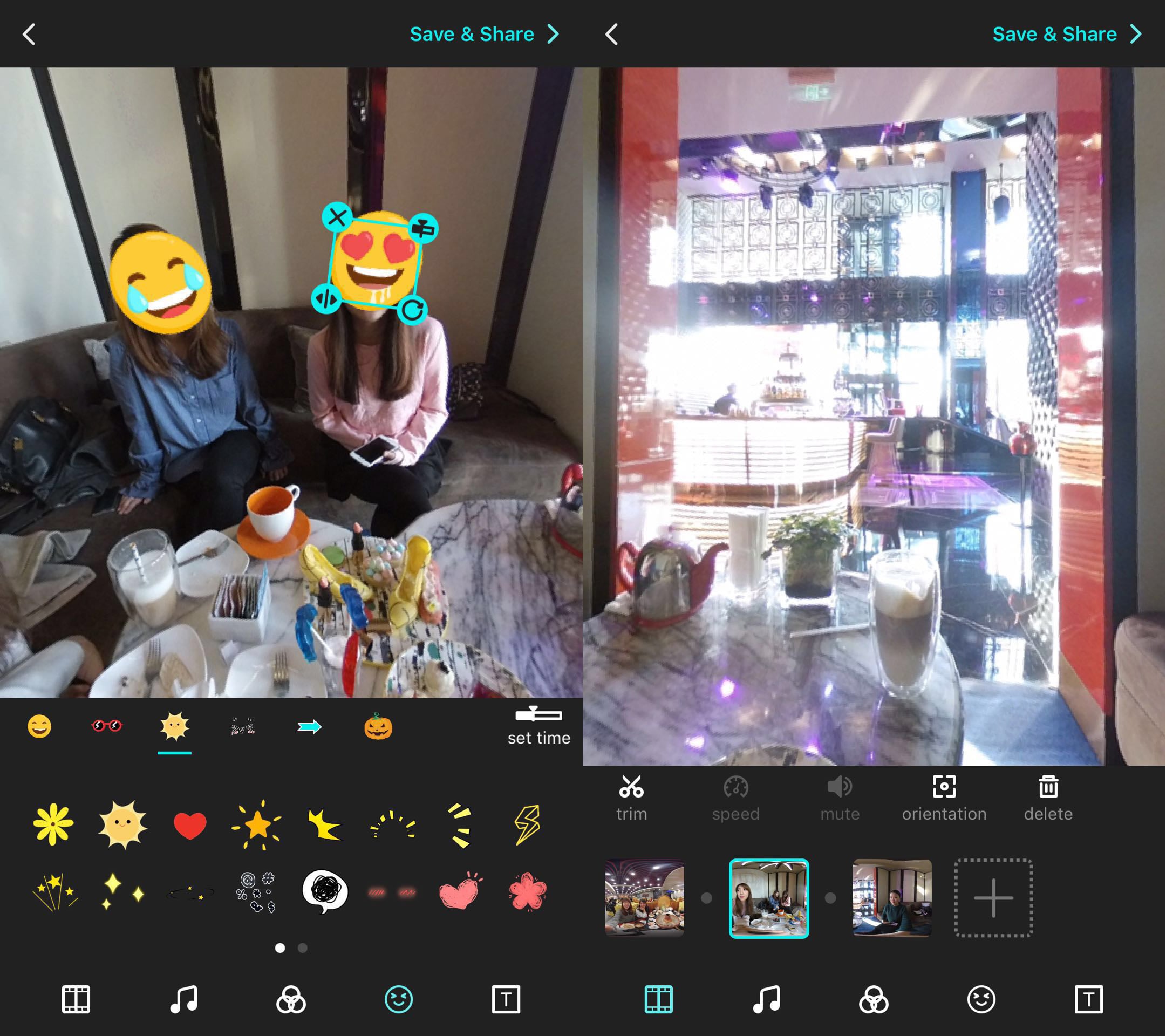
You don’t need a computer to edit 360 videos or 360 photos like a pro. The company behind Veer VR and Veer TV offers Veer Editor, an iPhone and Android app that can edito your 360 content on the go and publish it.
Editing 360 video inside of Final Cut and other programs is frustrating, but with Veer Editor you can edit your 360 videos, put special effects in place, text, filters and even add licensed music right from your phone. There are even stickers you can add in 360 mode.
With the app you can also apply speed changes to speed up or slow down your video for dramatic effect. The app includes all the functionality you would expect from a video editor, like creating clips, moving them around a timeline and combining multiple shots.
The video above demonstrates what the Veer Editor looks like and how it performs. Once you create your clip, you can preview it in VR mode with an on your head display to see what it looks like before you publish. Download the Veer Editor free for iPhone or Android.
To see what this app can do, check out the video below to see Veer Editor in action. You can watch on your phone or on a headset for a more immersive experience.
With the Veer Editor you are able to create polished 360 videos and photos right on your phone. This works with the content you create with standalone 360 cameras as well as those that connect to your phone.
This free app turns raw footage into something shareworthy in just a few minutes. Even if you don’t plan to bite off a massive project, like the one above, the Veer Editor is able to turn short clips into a story or into something that looks way better than what you started with.

Use the Veer Editor to create 360 videos on your iPhone or Android.
You can check out other Veer Editor creations on the Veer network using this link. If you’re looking for a 360 camera, check out our Insta360 Nano and Insta360 Air review, or find the Gear 360 that you got with your Samsung phone and get started.
[slides postid=414367]
