
Apple
5 Things to Know About the watchOS 10.2 Update
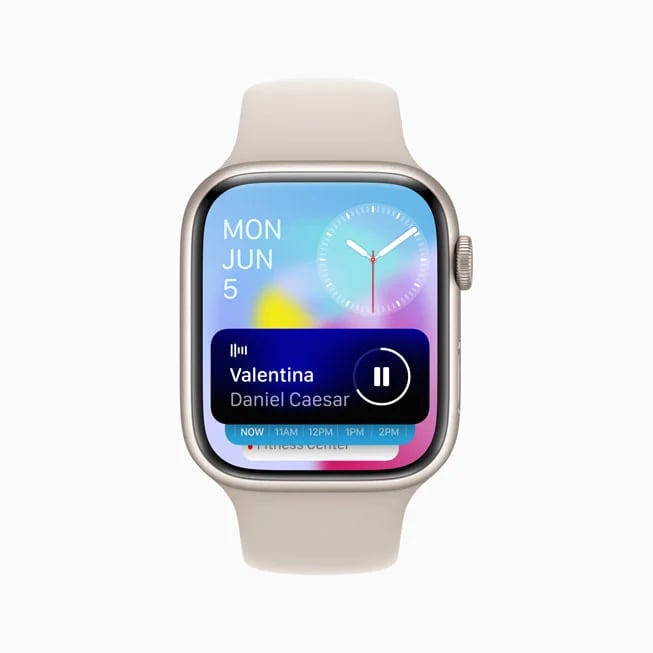
Apple’s pushed its new watchOS 10.2 update alongside its iOS 17.2 update for iPhone.
watchOS 10.2 is a milestone upgrade, the second for the company’s watchOS 10 operating system and it brings more than just bug fixes and security updates to compatible Apple Watch models. It has new features on board as well.
The watchOS 10.2 update is an important upgrade for all compatible Watch models and most Apple Watch owners should install the update today.
Table of Contents
In this guide we’ll cover everything there is to know about the watchOS 10.2 update for Apple Watch. Our walkthrough goes over the software’s changes, provides some thoughts about its performance, and it takes a look at some of the issues impacting the software.
We’ll start with some quick thoughts about watchOS 10.2’s performance.
watchOS 10.2 Review
Our watchOS 10.2 review provides a quick look at the software’s performance in key areas like battery life, connectivity, and speed.
If your Apple Watch is currently running watchOS 10.1.1, you’ll see a fairly large download. If you’re moving up from watchOS 9, the download will be much larger.
As for the installation, it took around eight minutes to get the software up and running on an Apple Watch 4.

We’ve been using watchOS 10.2 on an Apple Watch 4 for a short time and here’s what we’ve discovered about the software’s performance thus far:
watchOS 10.2 Battery Life & Connectivity
- Battery life is currently stable, we haven’t run into any abnormal drain
- Wi-Fi connectivity is fast and reliable
- Bluetooth is working normally
- GPS is also working properly
App Performance
- Third-party apps including All Trails, ESPN, Spotify, and JetBlue are all working fine
- First party apps like Podcasts are also running well
Speed
- watchOS 10.2 feels fast and we haven’t noticed abnormal lag, lockups, or freezes
If you’re dealing with bugs and/or performance issues on watchOS 10.1.1, or an older version of watchOS, you might want to install the watchOS 10.2 update right now.
watchOS 10.2 Problems
We haven’t run into any major issues with watchOS 10.2, but some Apple Watch users have.
We’ve heard about issues with Notifications, Bluetooth issues, problems with first and third-party applications, UI lag, issues with cellular service, abnormal battery drain and pairing issues.
For more about watchOS 10 problems and how to fix them, head over to our guide.
watchOS 10.2 Features
watchOS 10.2 is a milestone upgrade and it delivers a mix of changes including enhancements, bug fixes and important security updates.

Here’s the full watchOS 10.2 change log, courtesy of Apple:
Features
- Access and log Health app data with Siri (Available on Apple Watch Series 9 and Apple Watch Ultra 2)
- Automatically view Now Playing when in proximity of HomePod (2nd generation) or HomePod mini playing media from Music or Podcasts (Available on – Apple Watch Series 6 and later and Apple Watch Ultra)
- Enable the ability to swipe to change watch faces in Settings
- Enable the ability to confirm ending workouts in Settings
- Prioritize the volume of either the music or trainers’ voices in most Fitness+ workouts
Bug Fixes
- Resolves an issue that can cause watch faces added in the Watch app on iPhone to not appear on Apple Watch
Apple says watchOS 10.2 also brings security upgrades and you can learn more about those patches over on the company’s security site.
watchOS 10 Downgrade
A lot of Apple Watch owners already know this, but if you’re a new user, or you’ve simply forgotten, here’s your PSA.
Unlike iOS, iPadOS, and macOS software, you can’t downgrade watchOS software to an older version if you run into trouble and want to move back.
So, you’ll want to approach watchOS 10.2 with a sense of caution. If you’re having a good experience, make sure you read reviews before you tap install.
What’s Next
Apple’s confirmed a new watchOS 10.3 update and the software’s currently in beta testing ahead of its public release next year.
The company hasn’t confirmed a release date for the new firmware, but we expect watchOS 10.3 to land in late January or early February alongside iOS 17.3 for iPhone.
If you don’t want to wait for the official release, you can download the watchOS 10.3 beta on your Apple Watch right now.
For more about watchOS 10.3 update and the beta, have a look at our walkthrough.
[slides postid=501274]
