
Apple
5 Things to Know About the iOS 16.7.5 Update [u]
Apple’s pushed a new iOS 16.7.5 update to iPhone users and it’s available to download right now.

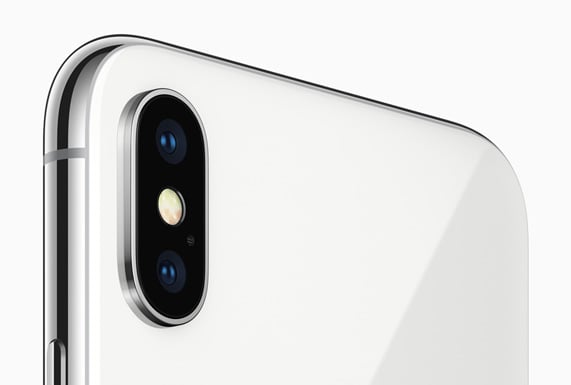
iOS 16.7.5 serves as the latest update for the iPhone 8, iPhone 8 Plus, and iPhone X, the three iPhone models Apple left behind on iOS 16.
Like its predecessor, iOS 16.7.5 isn’t a big upgrade. Future version of iOS 16 won’t be either. That being said, it’s an important piece of firmware because it brings fixes for the aging operating system.
With that in mind, we want to walk you through everything you need to know about Apple’s new iOS 16.7.5 software update for iPhone.
Table of Contents
We’ll take you through iOS 16.7.5’s changes, the software’s performance, the problems impacting iPhone users, the iOS 16 jailbreak status, and more.
We’ll start with some quick thoughts about iOS 16.7.5’s performance.
iOS 16.7.5 Review
If your iPhone is currently running iOS 16.7.4, you’ll see the smallest download size. It’s a small upgrade and most iOS 16 users won’t have to make room for the download.
As for the installation, it should take around 10 minutes or so to complete. It took eight minutes to install on an iPhone X that was previously running on iOS 16.7.4.

We’ve been using iOS 16.7.5 on an iPhone X for several days now and the software’s performance continues to hold up in key areas like battery life and speed.
iOS 16.7.5 Battery Life & Connectivity
- Battery life is currently stable
- Wi-Fi connectivity is fast and reliable
- Bluetooth is working normally
- GPS and cellular data are working properly
App Performance
- Third-party apps like Hulu, Netflix, Twitter, Slack, Gmail, Chrome, and Spotify are all working fine
- First party apps like Safari and Podcasts are also running fine
Speed
- iOS 16.7.5 feels fast and we haven’t run into lag, lockups, or freezes so far
If your iPhone’s struggling on iOS 16.7.4 or an older version of iOS 16, you might want to install the iOS 16.7.5 update on your iPhone right now. It could help.
If you need help making a decision, check out our reasons to, and not to, install iOS 16.7.5 on your iPhone.
iOS 16.7.5 Problems
iOS 16.7.5 went through testing, but the software’s causing problems for some iPhone users.

The current list of iOS 16.7.5 problems includes installation issues, abnormal battery drain, Face ID issues, broken Bluetooth, busted Wi-Fi, UI lag, Exchange issues, and problems with first and third-party apps.
If you run into a problem with the software, head over to our list of fixes for the most common iOS 16 problems.
We’ve also released tips that could help you improve your iPhone’s performance and some tips that could help fix abnormal battery drain.
Apple recently stopped signing on iOS 16.7.4 which means you can’t drop your iPhone’s software back to older software if you run into trouble on iOS 16.7.5. You can’t downgrade to anything older than iOS 16.7.4 either.
For more about the downgrade process, check out our guide.
iOS 16.7.5 Features
Again, iOS 16.7.5 is a small maintenance release. It doesn’t have any outward facing features on board. Instead, the software fixes issues Apple located within the operating system.
The company’s outlined the update’s nine security patches and you can learn more about them over on its security site.
iOS 16.7.5 Jailbreak
If you still jailbreak your iPhone, avoid the iOS 16.7.5 update.
Developers have released a jailbreak that works with older versions of iOS. Unfortunately, the jailbreak doesn’t work with iOS 16.7.5. Not yet at least.
This could change down the road so keep your eyes peeled for new information.
What’s Next
We expect Apple to push new iOS 16 software to iPhone in the months ahead. Again, these updates will almost certainly focus on patching up security issues. Again, we don’t expect future iOS 16 releases to bring new features to iPhone.
Apple will release new iOS 17 software in March. Don’t be surprised if new iOS 16 software rolls out alongside the next milestone upgrade for iOS 17.
[slides postid=494792]
