How to
Your Phone Can Identify Almost Anything in a Photo. Here’s How
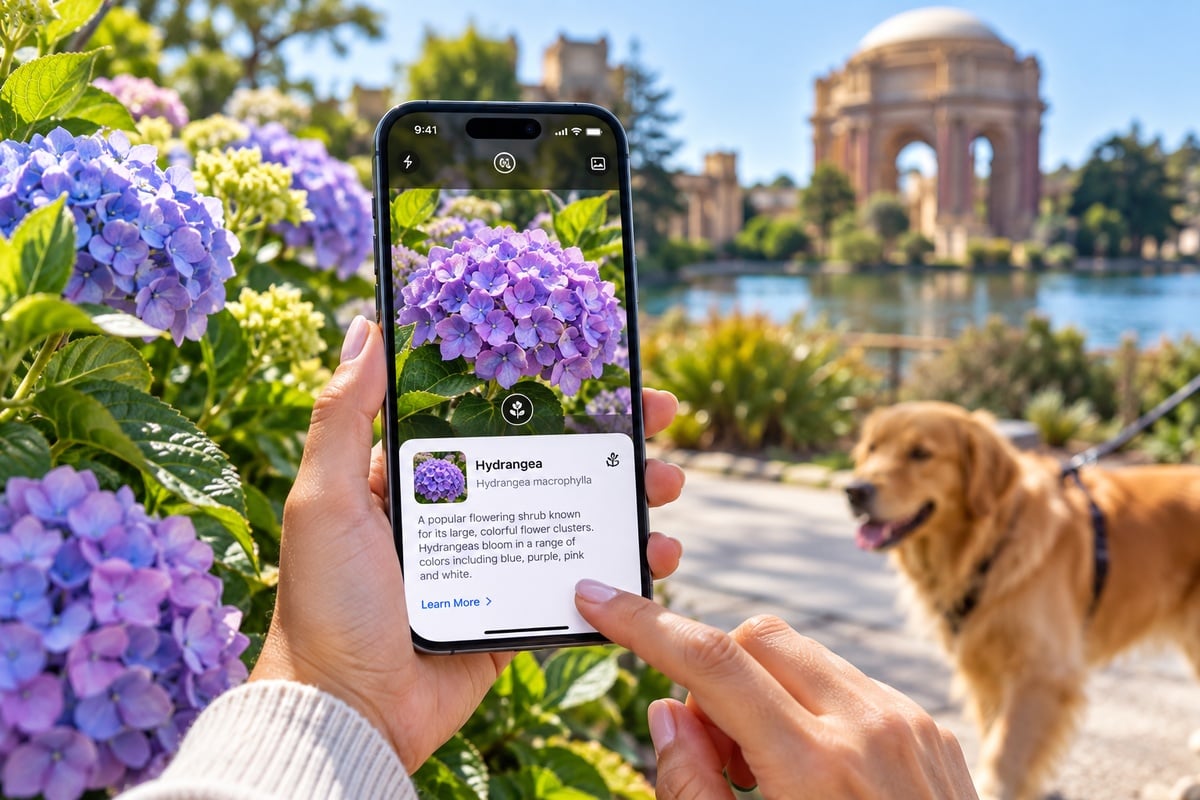
You probably have photos on your phone of plants you couldn’t identify, products you wanted to find later, signs in another language or random objects you couldn’t quite name.
You don’t necessarily need to download another app to figure out what you’re looking at.
Both iPhones and Android phones have powerful visual-search tools that can identify objects, recognize text, find products, translate signs and tell you more about what’s inside a photo.
And there’s a decent chance you’ve barely used them.
Here’s how to identify things with your phone and some of the surprisingly useful things these tools can do.
Identify Plants and Flowers
See a plant you like while walking around the neighborhood?
Take a picture.
On an iPhone, Apple’s Visual Look Up can recognize plants and flowers in supported photos. Open the picture in Photos and look at the Info button. If Visual Look Up recognizes something, the Info button will display a symbol indicating additional information is available. Apple Support
Tap it, then choose the available Look Up option.
On Android, open a photo in Google Photos and use Google Lens. You can also open Lens from the Google app and point your camera directly at the plant.
Google specifically lists plants and animals among the things Lens can identify. Google Help
Just don’t make medical or safety decisions based solely on an automated plant identification. Your phone being confidently wrong about a houseplant is amusing. Being confidently wrong about a mushroom you’re planning to eat is rather less charming.
Figure Out What Kind of Dog You Just Saw
The same technology works with animals.
Apple’s Visual Look Up can recognize pets and provide information about them, while Google Lens can identify animal species and breeds. Apple Support
That makes it useful when you see a dog and spend the next ten minutes wondering whether it was a Labradoodle, Goldendoodle or one of the approximately 6,000 other things humanity has apparently decided to combine with a poodle.
Take a photo, open it and let your phone take a shot at identifying it.
Find a Product You Saw Somewhere
This may be one of the most useful tricks.
Imagine you’re at a friend’s house and like a lamp, chair, pair of shoes or kitchen gadget.
Instead of asking them where they bought it three years ago and receiving the inevitable “I have no idea,” take a picture.
Google Lens can search the object and show visually similar products. Google specifically supports product searches for categories including apparel and home goods. Google Help
You can also use Lens on an existing image.
On Android:
Open Google Photos > Choose the photo > Google Lens
You can select only the part of the picture you want to search.
This also works with screenshots, which is handy when you see something online but don’t know what it’s called.
Translate a Menu or Sign
Your camera can also function as a translator.
Google Lens and Google Translate can recognize text inside an image and translate it. Google says its camera translation works with both live camera views and previously captured images. Google Help
That means you can point your phone at things like:
- Restaurant menus
- Street signs
- Product labels
- Instructions
- Posters
- Notices
Instead of manually typing everything into a translation app, your phone can work directly from the image.
This is especially useful while traveling.
Translation won’t always be perfect, particularly with tiny, stylized or unclear text, so use some common sense when the meaning actually matters.
Copy Text From Something in the Real World
Sometimes you don’t want to know what an object is.
You just want the words printed on it.
Phones can recognize text inside images, which means you can turn something in the physical world into selectable digital text.
Take a picture of a:
- Business card
- Receipt
- Serial number
- Printed address
- Flyer
- Recipe
- Wi-Fi password
- Document
Then select the text instead of typing it manually.
Google Lens lets Android users select and copy recognized text from photos. Google Help
iPhone users can use Apple’s Live Text features to interact with text appearing in photos and images.
This is one of those tiny phone features that sounds boring until it saves you from manually entering a 22-character serial number.
Then suddenly it deserves a parade.
Learn About a Landmark
Standing in front of a building, monument or statue and have absolutely no idea what you’re looking at?
Take a photo.
Apple says Visual Look Up can recognize architectural landmarks, popular statues and famous art. Apple Support
Google Lens can also identify landmarks and buildings and provide related information. Google Help
It’s essentially a visual version of searching Google when you don’t know what words to type into Google.
That makes it especially useful while traveling.
Identify Artwork
The same trick can work in museums, galleries or even when you see artwork online.
Apple’s Visual Look Up can identify famous art, while Google says Lens can provide information about paintings, including information about the artist. Apple Support
Take a picture or use an existing photo and see what your phone recognizes.
Results will obviously depend on the artwork, image quality and whether the service recognizes it.
Scan a Barcode
Google Lens can recognize barcodes and use them to find information about products, including places where the product may be available. Google Help
That’s useful when you have packaging in front of you but don’t know exactly what to search for.
Point Lens at the barcode and let it do the tedious part.
Find a Book From Its Cover
Here’s another useful one for bookstores, libraries and that stack of books sitting at somebody else’s house.
Google says Lens can recognize books and provide information such as summaries and reviews. Google Help
Instead of typing the entire title into your phone, scan the cover.
It can also be useful when the title isn’t clearly visible but you have a picture of the book.
Get Information About Food
Apple’s Visual Look Up can recognize food in photos and may suggest related recipes. Apple Support
Open a food photo in the Photos app and check whether the Info button shows that Visual Look Up information is available.
It won’t magically reproduce the secret recipe from the restaurant where you took the picture, unfortunately. Civilization hasn’t advanced quite that far.
But it can help identify what you’re looking at and find related information.
Search Anything on Your Android Screen
Some Android phones have another particularly useful feature called Circle to Search.
On supported devices, you can press and hold the Home button or navigation handle and then circle, highlight or tap something on your screen to search for it without leaving the app you’re using. Google Help
So if someone sends you a photo of a pair of shoes, you can circle the shoes.
See a lamp in a video?
Circle it.
See an unfamiliar landmark in a social-media post?
Search it directly from the screen.
Availability varies by Android device, so you may not see Circle to Search on every phone.
Newer iPhones Can Use Visual Intelligence
Apple has also expanded visual search beyond photos already sitting in your library.
On supported Apple Intelligence-enabled iPhones, Visual Intelligence can use the camera to learn about what’s around you.
Apple says it can identify plants and animals, translate or summarize text, search for visually similar images and provide information about businesses and other things you’re looking at. Apple Support
Visual Intelligence requires a supported Apple Intelligence-capable iPhone, so it isn’t available on every model.
If your iPhone doesn’t support it, don’t assume you’re completely left out. The older Visual Look Up feature still provides many useful identification tools from compatible photos.
How to Try Visual Look Up on an iPhone
Open the Photos app and choose a picture.
Tap the Info button or swipe up on the photo.
If your iPhone recognizes something that supports Visual Look Up, you’ll see an indicator associated with the detected object.
Tap Look Up to see the available information. Apple Support
If nothing appears, your iPhone may simply not recognize anything in that particular image.
Try a clear picture where the subject occupies a significant part of the frame.
How to Try Google Lens on Android
One easy method is through Google Photos.
Open:
Google Photos > Select a photo > Google Lens
Lens will analyze the image and provide available results and actions. Google Help
You can also open the Google app, tap the Lens icon and either take a new picture or choose an existing image from your phone. Google Help
If Lens is focusing on the wrong thing, select a smaller portion of the picture.
Your Camera Is Becoming a Search Box
We’re accustomed to searching the internet by typing words into a box.
Visual search removes one rather important requirement: knowing what the thing is called.
You can photograph an unknown plant, scan a product, copy text from a document, identify a landmark or translate a sign without first figuring out what search terms to use.
It’s not perfect, and you shouldn’t blindly trust every identification it makes.
But the next time you catch yourself staring at something and thinking, “What is that?”
Take a picture.
Your phone might already know.
And while you’re exploring features you may have overlooked, 7 iPhone Settings You’ll Wish You Changed Sooner and 7 Android Settings You’ll Be Glad You Changed have several more worth checking.
FAQ
Can My iPhone Identify Objects in Photos?
Yes. Apple’s Visual Look Up can identify supported objects and subjects including plants, pets, landmarks, statues, artwork, books and food. Availability can vary by region and language. Apple Support
Can Android Identify Something From a Picture?
Yes. Google Lens can analyze existing images or use your phone’s camera to search for objects, plants, animals, products, text and other visual information. Google Help
Can My Phone Identify a Plant From a Photo?
Both Apple’s Visual Look Up and Google Lens can identify plants from images. Treat the result as a starting point rather than relying on it for health or safety decisions. Apple Support
Can I Find a Product by Taking a Picture?
Google Lens can find visually similar products from photos, including apparel and home goods. Google Help
Can My Phone Translate a Sign From a Picture?
Yes. Google offers camera-based image translation, and supported newer iPhones can use Visual Intelligence for text translation. Google Help