
Android
Android 9 Pie vs Android 8.0 Oreo Walkthrough: What’s New
In this guide we’ll show you everything that’s new in Android Pie, Google’s 9th major software update for phones and tablets. Now that the update is available for more devices as 2019 continues here’s what to expect and what changed, then we compare everything to Android 8.0 Oreo.
While you’ll find and easily see tons of visual changes in Android Pie, a lot of the changes are behind the scenes tweaks, improvements or optimizations. Some noteworthy additions include smarter bundled notifications, simpler settings menus, themes, new quick settings, and even gesture navigation controls.
This software is smarter, faster, easier to use and more powerful. An experience that’s better than Android 8.0 Oreo. As 2019 continues and more people get Android Pie, here’s what to look for and enjoy.

Android 9 Pie is a free software update for smartphones, tablets and other supported devices. Google released it on August 6th, 2018, but most people didn’t get it for several months, and major phones like the Galaxy S9 received Android Pie in early 2019 over six months after its arrival.
Devices from popular manufacturers like Samsung didn’t start beta testing until months later, and most Pie updates didn’t arrive until February and March. Either way, expect more to arrive as summer nears.
What’s New in Android 9 Pie
Our big slideshow below will walk you through everything that’s new. Some of the images came from the developer preview, while others are the official Android 9 Pie update. Like the new Digital Wellbeing controls, which arrived in September. Then, keep in mind that while this is the official release of Android 9.0, things can and will change in the future. Whether that’s Android 9.0.1 from Google or Android Pie updates from manufacturers themselves.
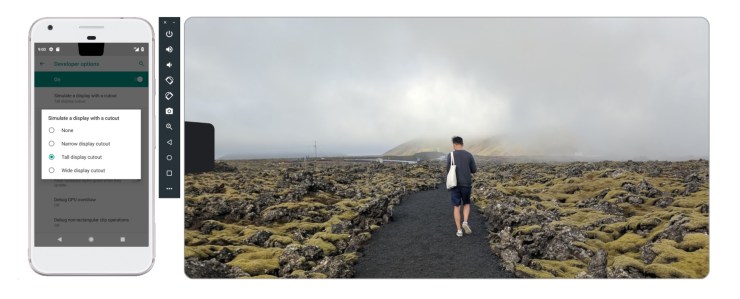
Google added support for the notch in Android 9 Pie. Mainly because almost every phone in 2018 had one, and we’re still seeing them in 2019. Even though devices like the Galaxy S10 skipped the notch for a hole-punch camera cutout. Even Google’s latest Pixel 3 XL has a notch in the screen. Google also added a new multi-camera API for all the dual, triple, and upcoming quad camera smartphones. You’ll also notice auto-fill improvements, better fingerprint scanner support, screen-on-time tools, smarter notifications, user interface tweaks, a revamped settings menu with colorful notifications, themes, adaptive app icons, and other changes.
Background app privacy is an important feature we really like. This essentially cuts off access to the camera and microphone from apps running in the background. It’s one more way to ensure a users privacy, which is a growing concern these days. Plus, Android Q will take an even further look into privacy controls. We received new power efficiency tweaks, a vertical on-screen volume toolbar, and a quick screenshot button when you tap volume up or down.
The redesigned quick settings icons, notifications, settings menu, gesture controls and always-on display are what you’ll notice first. You’ll even see a battery percentage meter on the bottom of your screen, even when it’s turned off. There are a lot of small but helpful visual tweaks throughout this new software.
Android 9.0 Pie vs Android 8.0 Oreo Walkthrough
In this popular series, we take screenshots of the last two versions of Android and compare them side-by-side for those that just got the update, or will get it soon. That way you know exactly what to look for and expect. Click through the slideshow below to learn and see all about Google’s latest software.
Android Pie screenshots are on the left, or alone, while Android 8.0 Oreo is on the right. Click any image below to jump to that slide, and learn all about the software you’ll get next. What do you think about the name “Android Pie”? Let us know in the comment section below while we wait for Android Q.
[slides]
