
Accessories
How to Save $100 on Your Spectrum Bill
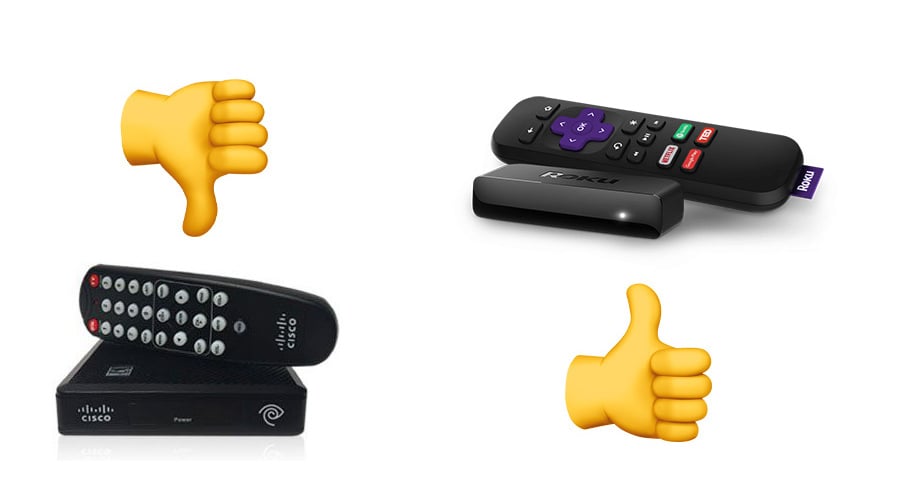
Is your Spectrum bill climbing thanks to the Spectrum Digital adapters that the company requires for every TV in your house? You can save up to $54 per TV in your house, per year , if you skip the digital adapter and buy a Roku for your TV.
If you have three TV’s in your house this move can save you $162 in the first year, after you factor in the cost of buying the Roku Express.
Read: How to Cut the Cord & Quit Cable
As an added benefit the Roku Express can stream Netflix, Amazon Video and turns your TV into a smart TV. After you save with this, read up on how to lower your Internet bill.
The Spectrum digital adapter box is a small square box with Cisco written on the front. This box can cost up to $7 a month to rent and it’s not the best piece of tech in your house. The remote is frustrating to use and you cannot easily pair your universal remote to change the channels. This often means switching between remotes to change the channel and change the volume, especially if you also have a soundbar. I’ve had to reset the Spectrum box at my in-laws multiple times to get it to start working again. It’s a common Spectrum problem.

Skip the bad Spectrum Digital adapter box and save big with a Roku.
You can no longer just connect a cable to your TV with Spectrum, but you can skip paying Spectrum more money every month for a crappy experience.
Instead of renting a Spectrum box, you can use the Spectrum app on a Roku. This is easy to install, easy to setup and easy to use. My parents and my grandmother both use this on TVs in secondary rooms. They still have a DVR or traditional cable box in the main room, but that may be on the way out for my parents.
The Roku Express is $29.99 and it discreetly plugs into the back of your TV with HDMI and then gets power from a small adapter. The Roku Streaming Stick is available as low as $39.99 and is a little smaller. Both offer a voice remote and you can use your phone as a remote as well.
With the Roku Express or Roku Streaming Stick installed you can download the free Spectrum TV app. This allows you to watch up to 250 live TV channels and 30,000 on demand shows and movies when you are connected to Spectrum Internet at your home. You need both Spectrum Internet and Spectrum TV for this to work. The odds are good that most Spectrum TV customers also have internet through the company.
Simply login to the Spectrum TV app on the Roku with your Spectrum username and password and you can start watching live TV, without the need to spend up to $7 a month for a Spectrum box or digital adapter.
If you don’t want to use a Roku device, you can also stream with an Xbox One or a Samsung Smart TV. The app does not work on the Apple TV or Amazon Fire TV.
[slides postid=435229]
