
Apple
5 Things to Know About the iOS 12.1.3 Update
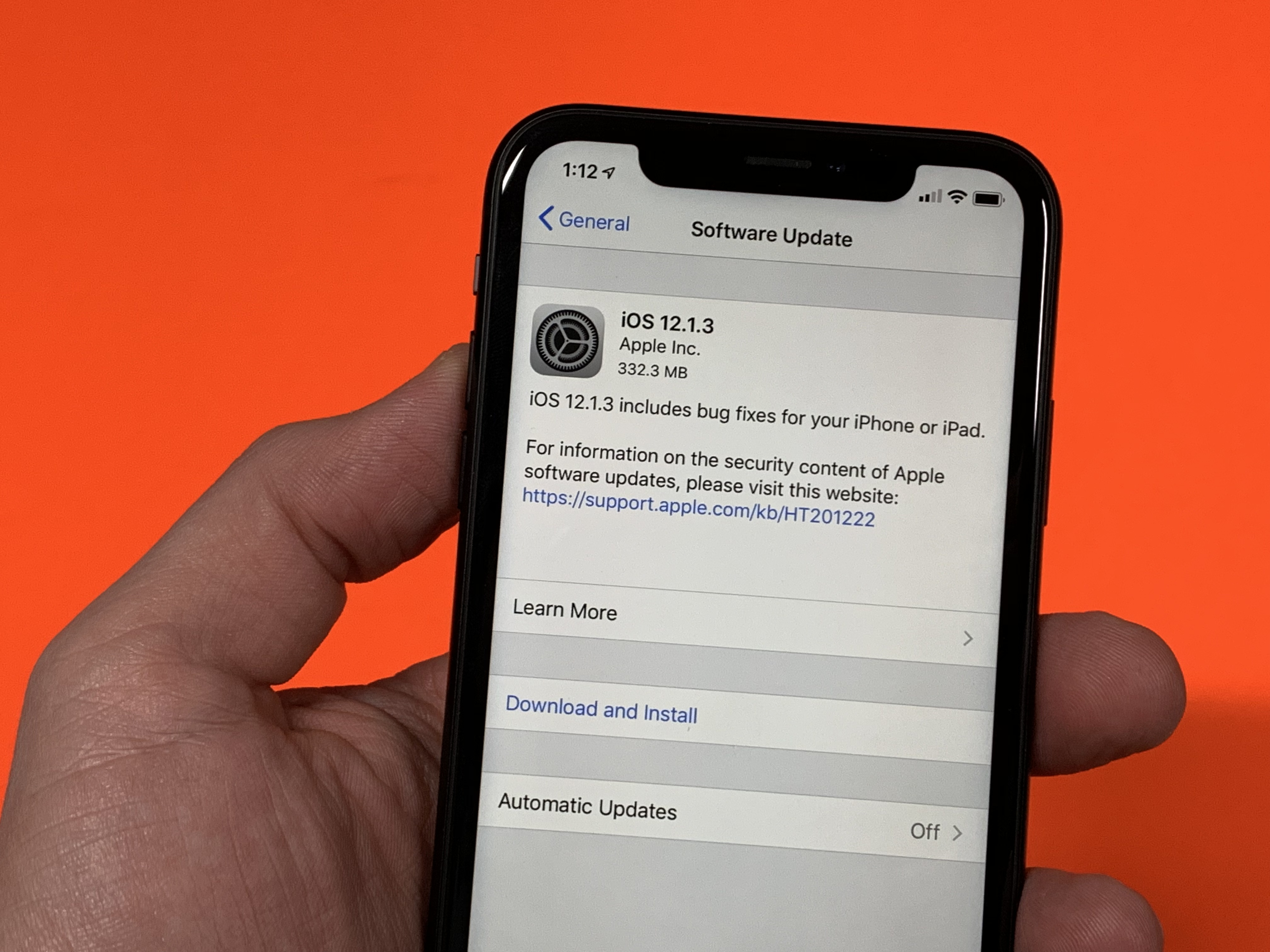
Apple’s released a new version of iOS 12 and the iOS 12.1.3 update brings bug fixes to iPhone, iPod, iPod touch, and HomePod speaker. It’s also got some problems.
The iOS 12.1.3 update is out of beta and it’s available for all devices capable of running iOS 12. Apple’s latest software is a point upgrade which means it’s focused on fixing issues with iOS 12 operating system.
iOS 12.1.3 comes with fixes for the HomePod, iPad Pro, Messages, and a CarPlay issue affecting the iPhone XR, iPhone XS, and iPhone XS Max.
In this guide we’ll take you through iOS 12.1.3’s known changes, iOS 12.1.3 problems, the iOS 12 downgrade status, and what we know about Apple’s next big iOS 12 release.
iOS 12.1.3 Reviews
iOS 12.1.3 is a point upgrade but it still requires a nice chunk of space on your device’s internal storage.
If you’re moving your device from iOS 12.1.2, your download should be right around 300MB. The iPhone X’s iOS 12.1.3 update is 300.6MB. You should be able to download it in just a few minutes over high-speed Wi-Fi.
If you’re running an older version of iOS, you might encounter an even larger download size because the features and fixes from the update(s) you skipped are baked into your version of iOS 12.1.3.
Installing the iOS 12.1.3 update shouldn’t take more than 5-10 minutes to complete if you’re moving your phone directly from iOS 12.1.2. It took about six minutes to install on the iPhone X.
For more on the iOS 12.1.3 download and installation, take a look at our guide.

We’ve been using the iOS 12.1.3 update on several devices for several days (we also used the iOS 12.1.3 beta on a few devices) and here are some brief impressions of its performance.
Connectivity
- Battery life appears to be stable.
- Wi-Fi is stable and fast.
- Bluetooth is working normally.
- GPS and cellular data are normal.
Apps
- Third-party apps including Netflix, Dark Sky, Twitter, Slack, Asana, Gmail, Chrome, and Spotify are working fine.
- First party apps like Safari, Podcasts, and Calendar are also stable.
Speed
- iOS 12.1.3 feels as fast as iOS 12.1.2.
If you’re dealing with bugs and/or performance issues on iOS 12.1.2 or an older version of iOS 12, you’ll want to install iOS 12.1.3. If you’re having a good experience on iOS 12.1.2 or another version of iOS, you might want to wait for long-term feedback about iOS 12.1.3’s performance.
If you want to make a quick decision, check out our reasons to, and not to, install the iOS 12.1.3 update on your iPhone, iPad, or iPod touch right now.
We’ve also published our iOS 12.1.3 reviews for the iPhone X, iPhone 8, iPhone 7, iPhone 6s, iPhone 6, iPhone 5s, and iPhone SE so keep an eye out for those.
iOS 12.1.3 Problems
iOS 12.1.3 went through a lengthy beta but we’re already hearing about bugs and performance issues.
We’re hearing about iOS 12.1.3 download and installation issues, abnormal battery drain, issues with Exchange, connectivity issues, data issues, Touch ID problems, Face ID problems, and issues with first and third-party applications.
There’s also a widespread FaceTime bug that lets you call someone via FaceTime and hear the audio coming from their phone before they pick up the phone. That’s obviously a huge privacy issue and it’s one that Apple plans to address in a new software update next week.
The company has taken down iOS 12’s Group FaceTime service while it works to fix the issue.
Apple now says that Group FaceTime will be permanently disabled in iOS 12.1.3 and below which means those who want to continue using the feature must upgrade to iOS 12.1.4.

There’s a major FaceTime flaw in iOS 12.
If you run into an issue while running iOS 12.1.3 you’ll want to take a peek at our list of fixes for the most common iOS 12 problems. We’ve also released tips to improve iOS 12 performance and tips to improve iOS 12 battery life.
If you can’t stand the iOS 12.1.3 update’s performance you’re on your own because Apple recently stopped signing on iOS 12.1.1 and iOS 12.1.2.
This means the downgrade is now closed so once you move to iOS 12.1.3 you’re stuck there until Apple rolls out a new version of iOS 12. Keep that in mind if you’re having a good experience on an older version of iOS.
iOS 12.1.3 Update: What’s New
iOS 12.1.3 is a point update which means it delivers new bug fixes, under-the-hood improvements, and security patches for potential exploits. It doesn’t carry any new features.
Here’s what Apple lists on board the iOS 12.1.3 update:
- Fixes an issue in Messages that could impact scrolling through photos in the Details view.
- Addresses an issue where photos could have striped artifacts after being sent from the Share Sheet.
- Fixes an issue that may cause audio distortion when using external audio input devices on iPad Pro (2018).
- Resolves an issue that could cause certain CarPlay systems to disconnect from iPhone XR, iPhone XS, and iPhone XS Max.
- Fixes an issue that could cause HomePod to restart.
- Addresses an issue that could cause Siri to stop listening.
iOS 12.1.3 Jailbreak
Jailbreak developers haven’t released an iOS 12 jailbreak and it’s unclear if we’ll get one in 2019.
The only way you can jailbreak a device right now is if it’s running an older version of iOS 11. Unfortunately, there’s no way to downgrade to iOS 11.
Jailbreak developers typically haven’t confirmed anything for iOS 12.1.3 so iPhone and iPad users should avoid the 12.1.3 update until we have more clarity.
For more on the iOS 12 jailbreak, check out our guide.
What’s Next
We expect iOS 12.1.4 to arrive with the FaceTime fix next week. After that, it’ll probably be a few weeks before Apple releases a new version of iOS 12.
Apple’s confirmed a milestone iOS 12.2 update and the software is in beta ahead of a release later this year.
The iOS 12.2 update is a milestone release which means it will likely carry more than just bug fixes and patches. We expect Apple to tack on minor features as well.
If you’re struggling on iOS 12.1.3 or just want to give iOS 12.2 a try before it’s officially released, you can do so via the iOS 12.2 beta.
The iOS 12.2 beta is available for all devices capable of running iOS 12.
[slides postid=448891]
