
Apple
5 Things to Know About the iOS 12.3 Update
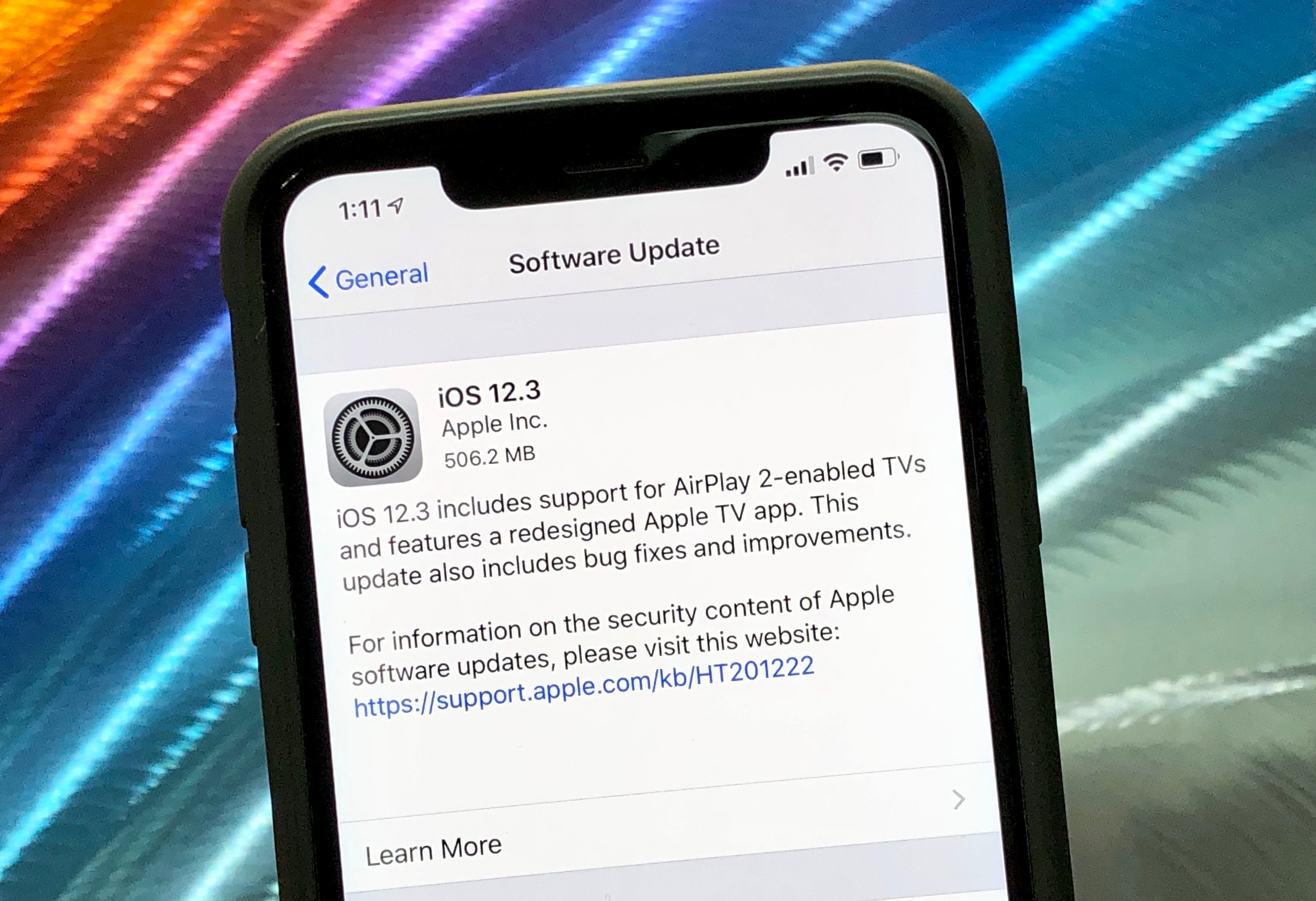
Apple’s released its highly anticipated iOS 12.3 update and the software is available for all iOS 12-powered iPhone, iPod, and iPod touch models.
After a lengthy stint in beta, iOS 12.3 is here. Like iOS 12.2, iOS 12.3 is a milestone upgrade which means it carries more than bug fixes and security enhancements. It also has some new features on board.
If you’re currently running iOS 12.2, you get the shortest list of changes. If you’re moving from iOS 12.1.4 or an older version of iOS 12, you’ll get a much larger update because the features and fixes from those updates are on board your version of iOS 12.3.
With that in mind, we want to take you through everything there is to know about Apple’s latest firmware.
In this guide to the iOS 12.3 update we’ll take you through iOS 12.3’s known changes, iOS 12.3 problems, places to look for feedback, and our impressions of the software.
iOS 12.3 Reviews
The iOS 12.3 is a fairly sizable download.
If you’re bringing your device up from iOS 12.2, your download should be right around 460MB. The iOS 12.3 update is a 464.3MB download for iPhone X owners.
If you’re running an older version of iOS 12, you’re probably going to see a much larger download size because the features and fixes from updates you skipped are baked into your version of iOS 12.3.
If you’re currently running iOS 12.2, installing the iOS 12.3 update should take 10 minutes or less. It took right around six minutes to install on the iPhone X.
For more on the iOS 12.3 download and installation, take a look at our guide.

The iOS 12.3 update comes with several important upgrades including a new Apple TV app.
We’ve been using the iOS 12.3 update on our iPhones and iPads for an extended period of time and here’s what we’ve learned thus far:
Connectivity
- Battery life stable is across our devices.
- Wi-Fi is stable and fast.
- Bluetooth is working normally.
- GPS and cellular data are stable.
Apps
- Third-party apps including Netflix, Dark Sky, Twitter, Slack, Asana, Gmail, Chrome, and Spotify are stable. At least for the moment.
- First party apps like Safari, Podcasts, and Calendar are also stable.
Speed
- iOS 12.3 feels as fast as iOS 12.2 which is a good thing. iOS 12.2 was fast on all of our iPhones.
If you’re dealing with bugs or performance issues on iOS 12.2 or another version of iOS 12, you should think about installing the iOS 12.3 update today.
If you need help making a decision, check out our reasons to, and not to, install the iOS 12.3 update on your iPhone, iPad, or iPod touch right now.
We’ve published our short iOS 12.3 reviews for the iPhone X, iPhone 8, iPhone 7, iPhone 6s, iPhone 6, iPhone 5s, and iPhone SE so check those for additional feedback if you need it.
If you’re having a great experience on iOS 12.2 or an older version of iOS, make sure you dig into additional feedback before jumping up to iOS 12.3.
iOS 12.3 Problems
iOS 12.3 users are reporting a variety of bugs and performance issues.
We’re seeing complaints about a variety of iOS 12.3 problems including download and installation issues, connectivity issues, data issues, Touch ID problems, Face ID problems, issues with Exchange, abnormal battery drain, random reboots, crashes, UI lag, and issues with first and third-party apps.
If you run into an issue while running iOS 12.3 you’ll want to take a peek at our list of fixes for the most common iOS 12 problems. We’ve also released tips to improve iOS 12 performance and tips to improve iOS 12 battery life.
If you can’t stand iOS 12.3’s performance on your phone or tablet, you can try downgrading to the previous version of iOS 12. It might help.
Apple is signing on iOS 12.2 which means you use a loophole to downgrade to the previous version. If iOS 12.2 was running well on your device, this is a solid option.
iOS 12.3 Update: What’s New
iOS 12.3 is a milestone upgrade which means it comes with a mix of features, bug fixes, under-the-hood improvements, and security patches.

The biggest changes on board are upgrades to Apple’s TV application and upgrades to AirPlay 2.
iOS 12.3 brings a new TV app icon and several upgrades to the Apple TV app itself including a new look and new features.
The UI changes include sections for kids content, movies, TV shows, sports, and kids content. You’ll also notice a new bottom bar for library, search, and Watch Now.
You’ve still got the classic “Watch Now” and “Up Next” section, but Apple’s included a brand new learning-based recommendation engine that suggests content you might like based on your preferences and viewing history.
There’s also a brand new “Channels” feature in the TV app. Channels are subscription-based services you can sign up for and watch in the TV app without having to open another application.
Channels supported at launch include CBS All Access, Comedy Central Now, EPIX, HBO, History Channel Vault, Nickelodeon, Mubi, Showtime, Smithsonian, Starz, and Tastemade.
The all-new Apple TV app is now available for Samsung Smart TVs. So is AirPlay 2.

Here is the full list of changes on board iOS 12.3:
AirPlay 2
- AirPlay 2 now supports sharing videos, photos, music and more from your iPhone and iPad directly to your AirPlay 2-enabled smart TV
- One-tap playback automatically plays your chosen TV show or movie on the last screen you used based on time and location
- Siri Suggestions to watch movies and TV shows now include an option to AirPlay
- Intelligent suggestions are all done on-device so your personal information stays private
Apple TV app
- The Apple TV app features an all-new design that highlights expertly curated collections and personalized recommendations
- Apple TV channels offer subscriptions to HBO, Showtime, Starz, and more, available to watch directly in the Apple TV app, online or off
- Subscriptions to Apple TV channels can be shared with up to six family members, with no new apps, accounts, or passwords needed
- New release movies are available to buy or rent in the Apple TV app, including the full catalog of over 100,000 movies and the largest selection of 4K HDR titles
- A new dedicated kids section helps you discover editorially-handpicked shows and movies safe for kids of all ages
- The Apple TV app can now intelligently suggest playing to the most likely Apple TVs or AirPlay 2-enabled TVs nearby
The iOS 12.3 update also includes the following bug fixes and improvements:
- Adds the ability to follow a magazine from the Apple News+ catalog browsing view
- Apple Music’s For You tab now updates multiple times a day suggesting music based on themes like genres, artists, and moods you love
- Fixes an issue that could prevent Apple TV Remote from pausing video, controlling video, or changing volume on supported receivers
- Addresses an issue that could cause calls made using Wi-Fi calling to drop
- Fixes an issue where song information from a connected iPhone may not appear in a car’s display
iOS 12.3 also includes 23 security patches.
iOS 12.3 Jailbreak
Jailbreak developers have released working iOS 12 jailbreaks, but there are some limitations and problems you need to be aware of.
You can jailbreak using the Chimera tool if you’re running iOS 12.0-iOS 12.1.2. It’s a semi-tethered jailbreak and it supports newer models like the iPhone XS.
You can also use the unc0ver jailbreak tool. Unfortunately, devices using the A12 processor like iPhone XR, iPhone XS and iPhone XS Max aren’t supported.
The only way you can jailbreak a device right now is if it’s running an older version of iOS 12. Unfortunately, there’s no way to downgrade to these versions of iOS 12.
There’s currently no way to jailbreak iOS 12.3, iOS 12.2, iOS 12.1.4, or iOS 12.1.3.
What’s Next
Unless Apple releases a surprise iOS 12.3.1 update, the next version of iOS 12 will likely be iOS 12.4.
Apple’s confirmed iOS 12.4 and it’s currently in beta testing ahead of a release later this year. We expect the software to launch this summer alongside the Apple Card credit card.
Like iOS 12.3, iOS 12.4 is a milestone update which means it will carry a mix of bug fixes, security patches, enhancements, and features.
If you’re struggling on iOS 12.3 or simply want to give iOS 12.4 a try before its official release date, you can do so via the iOS 12.4 beta.
That said, we expect another version of iOS to arrive before iOS 12.4.

WWDC 2019 kicks off on June 3rd and it’s there that we’ll likely learn about Apple’s upcoming iOS 13 operating system. We’ve heard quite a bit about it already and the company should fill in some more blanks during its keynote.
Shortly after the conclusion of the keynote, we expect Apple to release the first iOS 13 beta for iPhone, iPad, and iPod touch giving users a chance to test the software long before its release this fall alongside the 2019 iPhones.
For more on iOS 13, take a look at our walkthrough.
[slides postid=448891]
